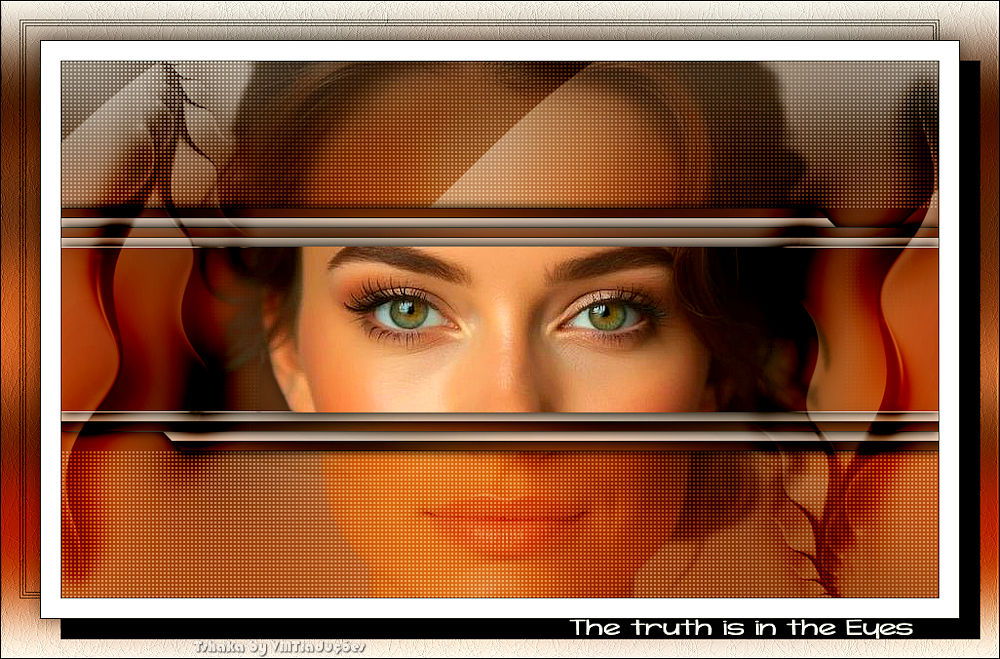
|
Você precisará de 1 tube feminino
Abra uma nova imagem transparente com
900x550px
Selections / Select All
Copie o seu tube principal
Cole na seleção
Select none
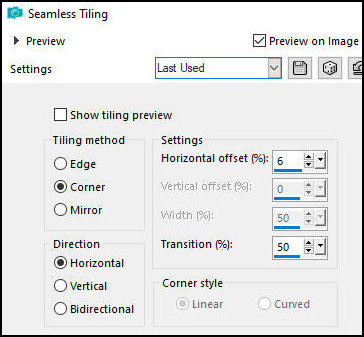
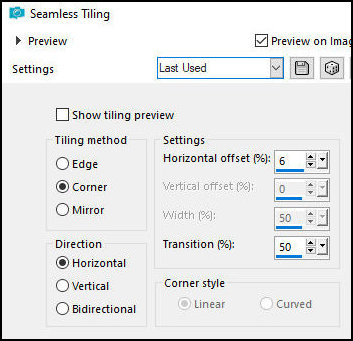
Effects / Image Effects / Seamless
Tiling
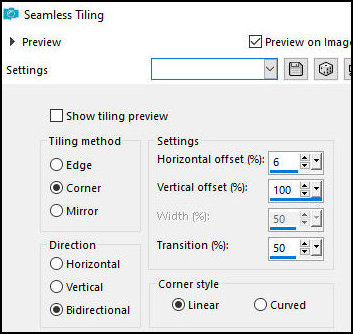
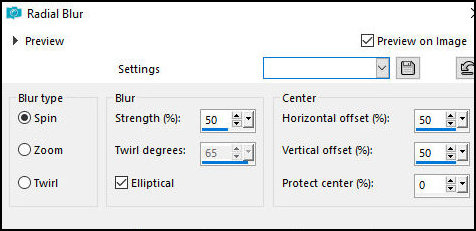
Adjust / blur / Radial Blur
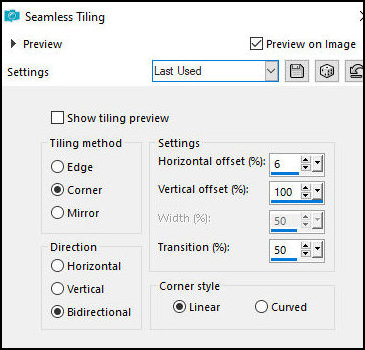
Effects / Image Effets / Seamless
Tiling - igual anterior
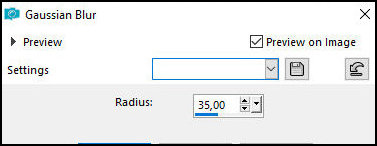
Adjust/ Blur / Gaussian Blur: 35
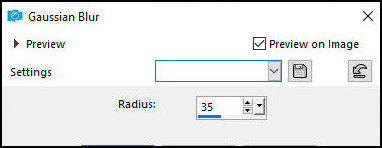
Layers / Duplicate
Effects / Plugins / AFS Import / sqborder2
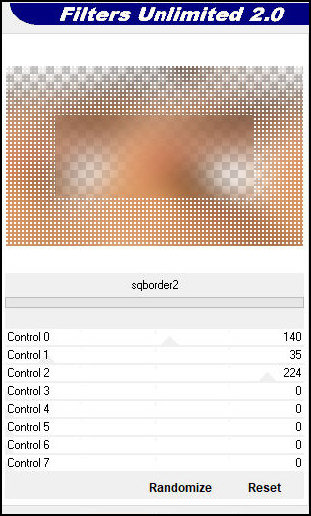
Layers / Properties / blend Mode: Multiply
Effects / Image Effects / Seamless Tiling
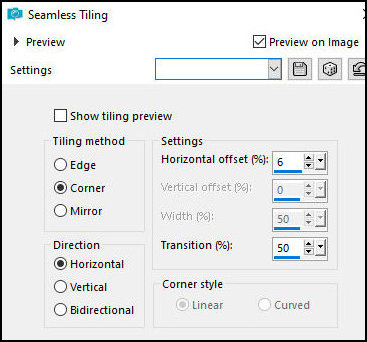
Merge visible
Ative a Selection Tool / Custom Selection e configure
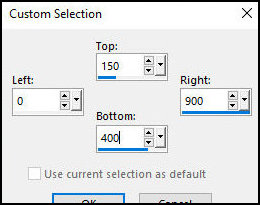
Selections / Promote selection to layer
Mantenha a seleção
Effects / Plugins / AAA Frames / Foto Frame
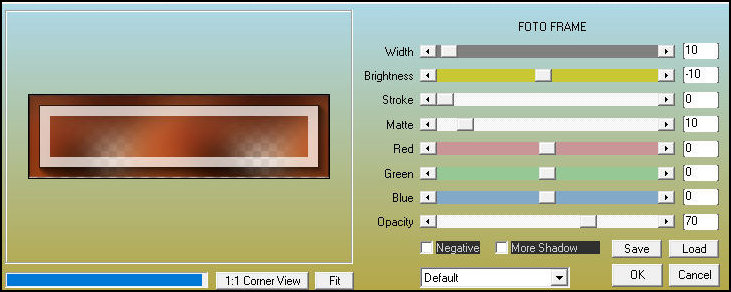
Select none
Effects / image Effects / Seamless
Tiling
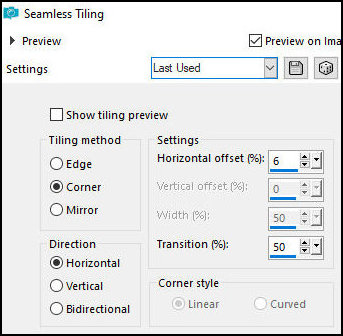
Ative a Selection Tool / Custom Selection
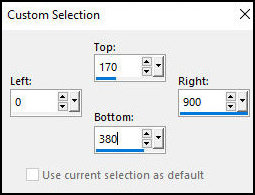
Selections / Promote selection to layer
Effects / Plugins / AAA Frames / Foto Frame / igual
anterior
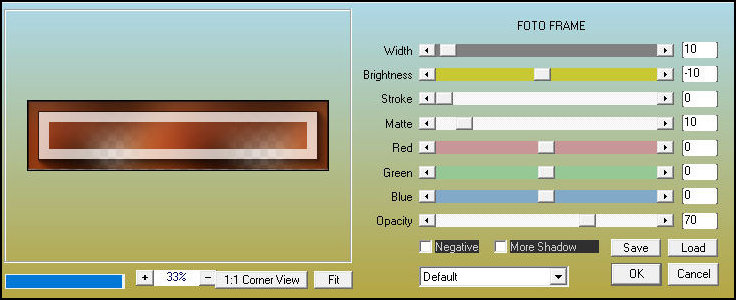
Select none
Effects / Image Effects / Seamless Tiling - igual
anterior
Drop shadow: 0 0 100 15 preto
Ative a layer do meio - Promoted Selection
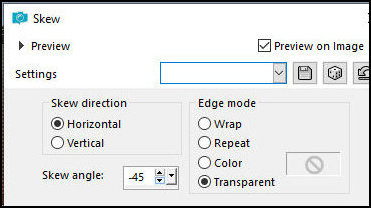
Effects / Geometric Effects / Skew
Drop shadow igual anterior
Ative a layer Superior - Promoted Selection 1
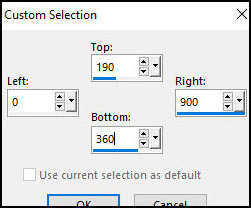
Ative a Selection Tool / Custom selection e configure
Copie o tube principal
Cole como nova layer
Posicione o tube de forma que os olhos fiquem na área
selecionada conforme o modelo
Selections / Promote selection to layer
Drop shadow igual anterior
Select none
Drop shadow: 0 0 50 25 preto
Ative a segunda layer a partir de cima - Raster
Layers / Arrange / Move down - Aplique 2 vezes
Layers / Properties - Blend Mode: soft Light
Copie o tube [Deco Eyes]
Cole como nova layer
Layers / Arrange / Move down
Copie o tube [Deco 2-Eyes]
Cole como nova layer
Layers / Arrange / Bring to top
Layers / Properties / Blend Mode: Burn
Borda:
1px / preto
20px/branco
1px / preto
Selections / Select all
Borda: 40px / branco
Selections / Promote selection to layer
Select none
Ative a layer superior
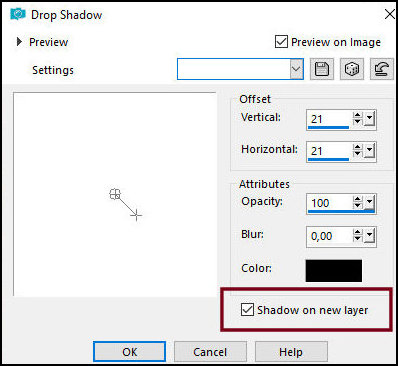
Drop Shadow: 21 21 100 0
preto - SHADOW ON NEW LAYER MARCADO
Na layer da sombra:
Layers / Duplicate
Image / Mirror / Mirror Horizontal
Image / Mirror / Mirror Vertical
Selections / Select all
Selections / Float / Selections / defloat
Selections / Modify / Contract:1
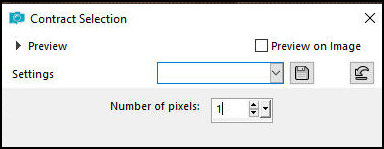
Pressione Delete
Selections / Modify / Contract: 2
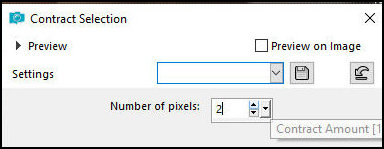
Pinte com a cor preta
Selections / Modify / Contract: 1px
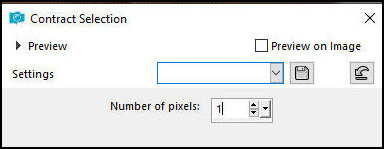
Pressione Delete
Selections / Modify / Contract: 2px
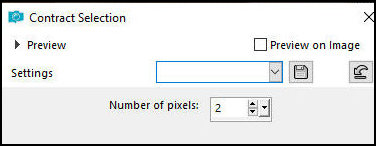
Pinte com a cor preta
Selections / Modify / Contract: 1px
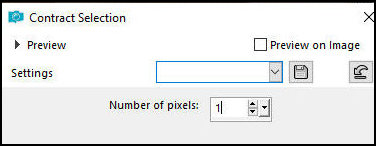
Pressione Delete
Select none
Ative a layer de fundo
Effects / Image Effects / Seamless Tiling
Adjust / Blur / Gaussian Blur: 35
Layers / Duplicate
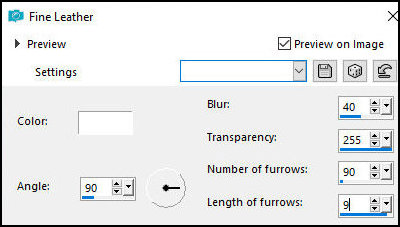
Effects / Texture Effects / Fine Leather
Layers / Properties / Blend Mode: Multiply
Ative a layer Superior
Drop Shadow: 0 0 50 25 preto
Copie o texto [Text-Eyes]
Cole como nova layer
Posicione no canto inferior direito, na borda larga e
reta conforme o modelo
Borda: 1px / preto
Coloque as assinaturas
Merge all
Salve como jpeg
|