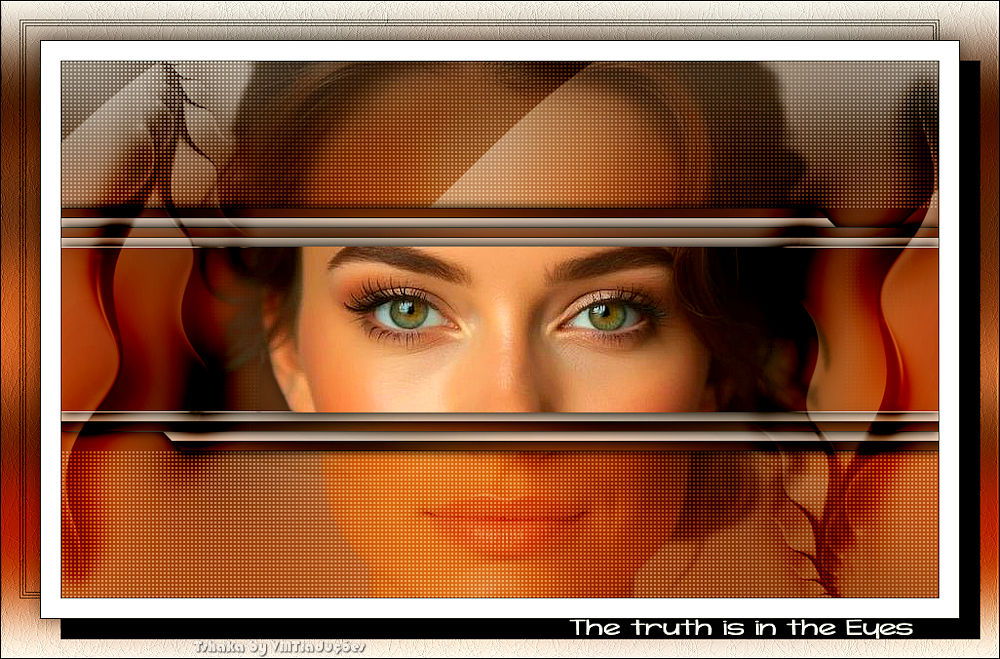
|
You will need
1 female tube *
Open a new transparent image measuring 900x550px
Selections / Select All
Copy your main tube
Paste into selection
Select none
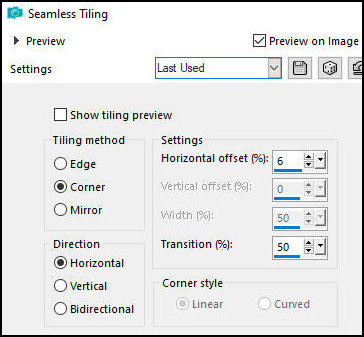
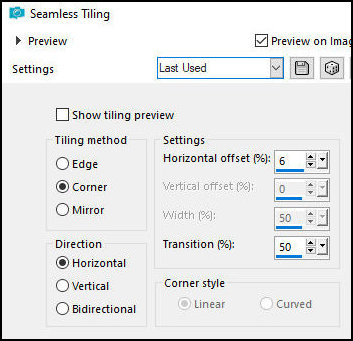
Effects / Image Effects / Seamless Tiling
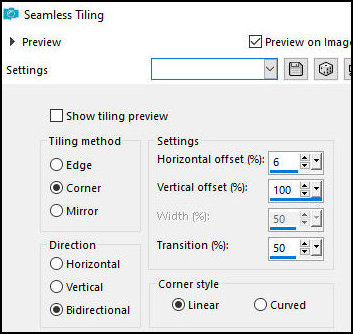
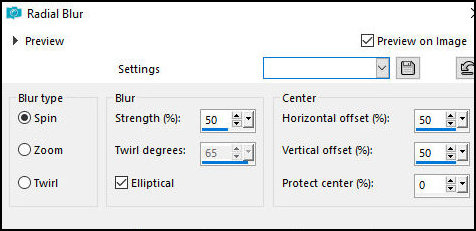
Adjust/blur/Radial Blur
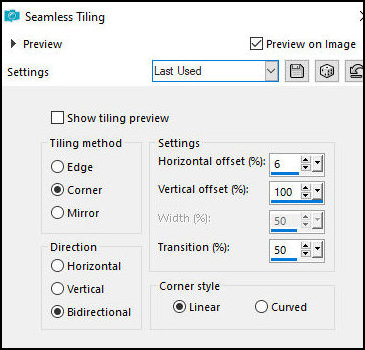
Effects / Image Effects / Seamless Tiling - same as
above
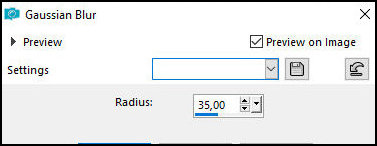
Adjust/Blur/Gaussian Blur: 35
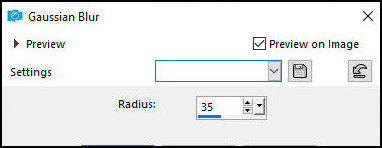
Layers/Duplicate
Effects / Plugins / AFS Import / sqborder2
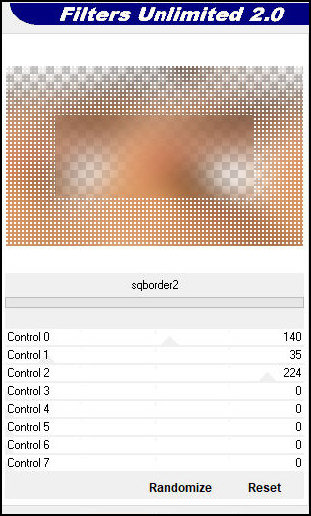
Layers / Properties / blend Mode: Multiply
Effects / Image Effects / Seamless Tiling
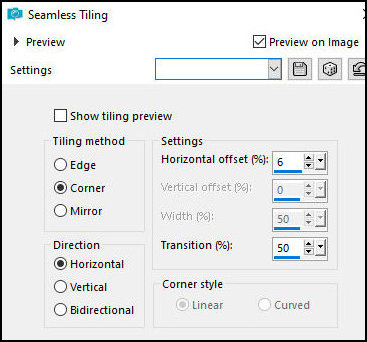
Merge visible
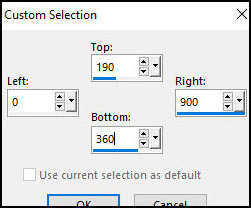
Activate the Selection Tool / Custom Selection and
configure
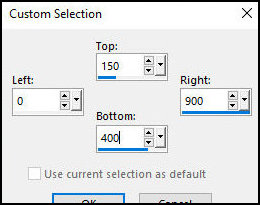
Selections / Promote selection to layer
Keep selection
Effects / Plugins / AAA Frames / Photo Frame
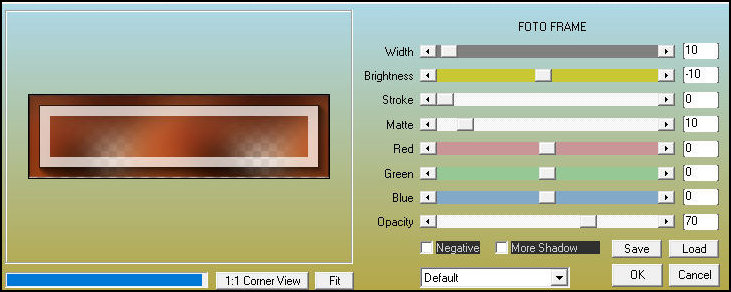
Select none
Effects / image Effects / Seamless Tiling
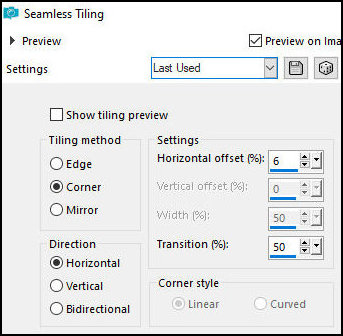
Activate the Selection Tool / Custom Selection
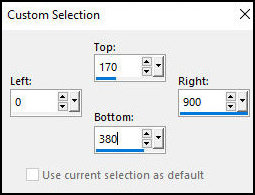
Selections / Promote selection to layer
Effects / Plugins / AAA Frames / Photo Frame / same as
above
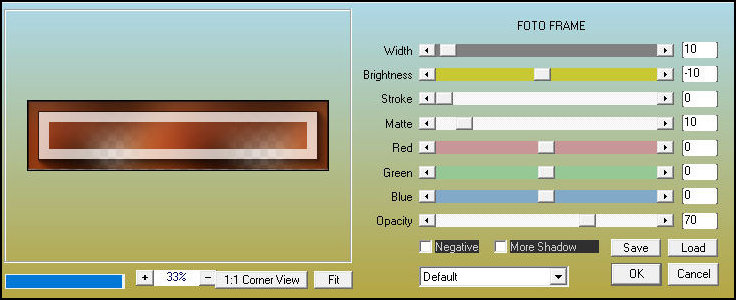
Select none
Effects / Image Effects / Seamless Tiling - same as
above
Drop shadow: 0 0 100 15 black
Activate the middle layer - Promoted Selection
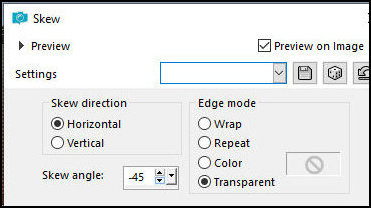
Effects / Geometric Effects / Skew
Drop shadow as above
Activate the top layer - Promoted Selection 1
Activate the Selection Tool / Custom selection and set
Copy the main tube
Paste as a new layer
Position the tube so that the eyes are in the selected
area according to the model
Selections / Promote selection to layer
Drop shadow as above
Select none
Drop shadow: 0 0 50 25 black
Activate the second layer from above - Raster
Layers / Arrange / Move down - Apply twice
Layers / Properties - Blend Mode: Soft Light
Copy the tube [Deco Eyes]
Paste as a new layer layer
Layers / Arrange / Move down
Copy the tube [Deco 2-Eyes]
Paste as new layer
Layers / Arrange / Bring to top
Layers / Properties / Blend Mode: Burn
Edge:
1px / black
20px/white
1px / black
Selections / Select all
Border: 40px / white
Selections / Promote selection to layer
Select none
Activate the top layer
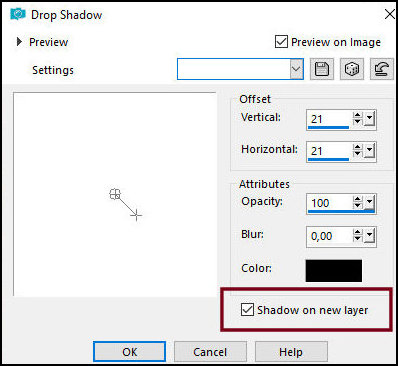
Drop Shadow: 21 21 100 0 black - SHADOW ON NEW LAYER
MARKED
In the shadow layer:
Layers/Duplicate
Image / Mirror / Mirror Horizontal
Image / Mirror / Mirror Vertical
Selections / Select all
Selections / Float / Selections / defloat
Selections/Modify/Contract:1
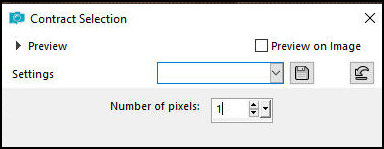
Press Delete
Selections/Modify/Contract: 2
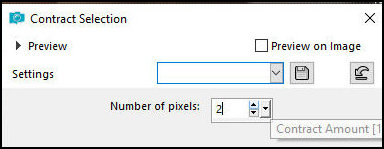
Paint with black color
Selections/Modify/Contract: 1px
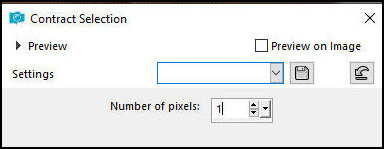
Press Delete
Selections / Modify / Contract: 2px
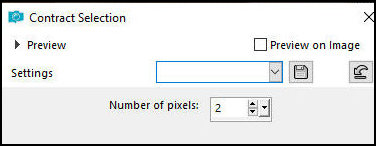
Paint with black
Selections / Modify / Contract: 1px
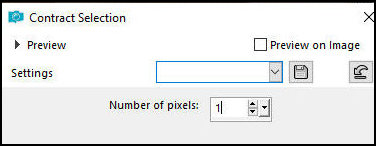
Press Delete
Select none
Activate the background layer
Effects / Image Effects / Seamless Tiling
Adjust / Blur / Gaussian Blur: 35
Layers / Duplicate
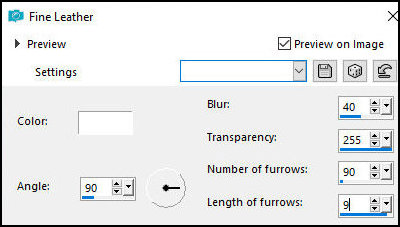
Effects / Texture Effects / Fine Leather
Layers / Properties / Blend Mode: Multiply
Activate the Top layer
Drop Shadow: 0 0 50 25 black
Copy the text [Text-Eyes]
Paste as a new layer
Position in the lower right corner, on the wide,
straight edge as per the template
Border: 1px / black
Place the signatures
Merge all
Save as a jpeg |