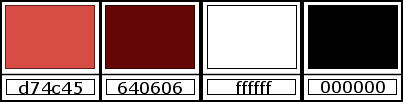
1. Cores originais: foreground:
#d74c45 - Background: #640606
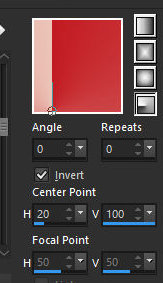
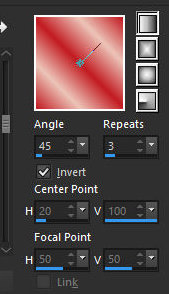
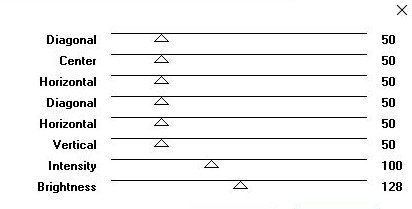
2. Prepare este gradiente Radial
3. Abra o alpha channel [alfablad] / Duplicaye (shift+d)
/ feche o original
4. Pinte a imagem com o gradiente
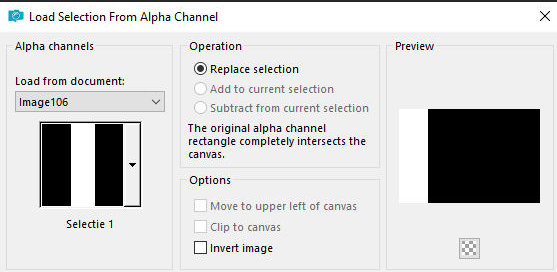
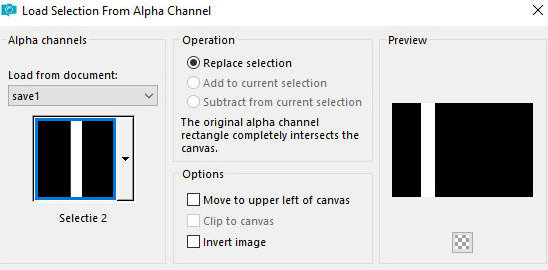
5. Selections / Load selection from alpha channel
/ Selection 1
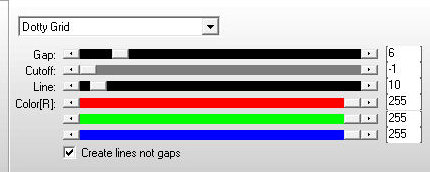
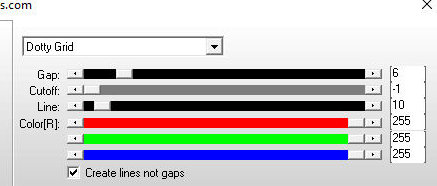
6. Effects / Plugins / AP[Lines] / SilverLining -
preset [dotty grid]
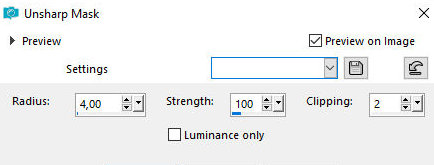
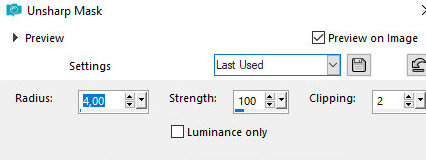
7. Adjust / Sharpness / Unsharp Mask
8. Select none
9. Layers / Duplicate
10. image / MIrror / Mirror Horizontal
11. Layers / Properties / opacity: 50%
12. Merge visible
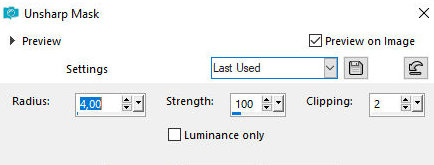
13. Adjust / Sharpness / Unsharp mask - igual
anterior
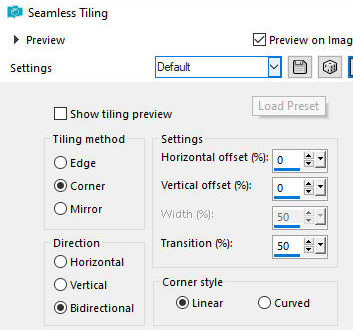
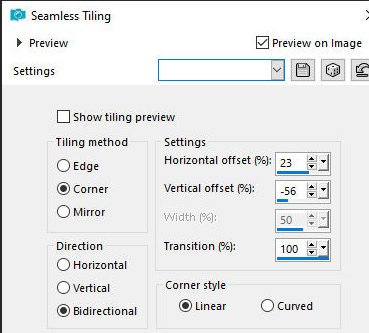
14. Effects / Image Effects / Seamless Tiling
15. Adjust / Sharpness / Unsharp mask - igual
anterior
16. Adicione nova layer
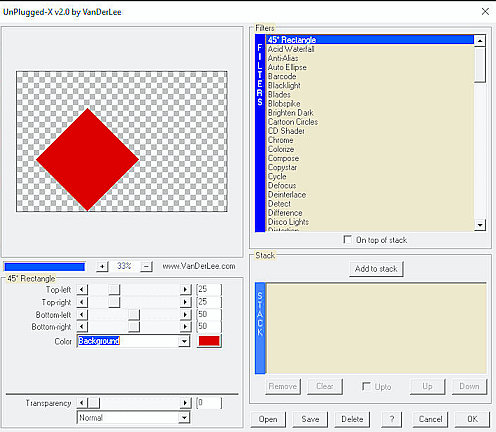
17. Effects / Plugins / VanDerLee / Unplugged-X /
45º rectangle
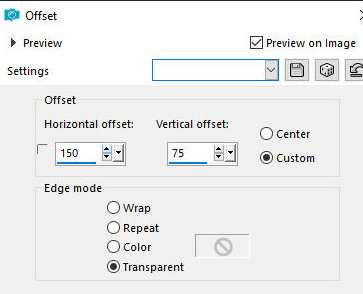
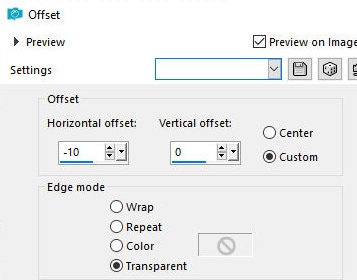
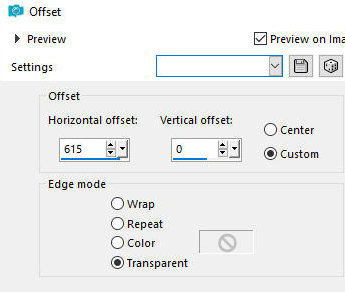
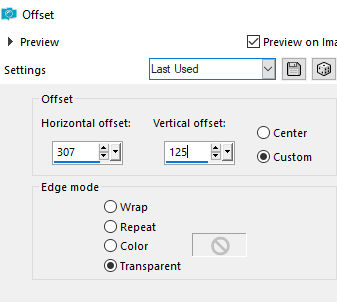
18. Effects / Image Effects / Offset
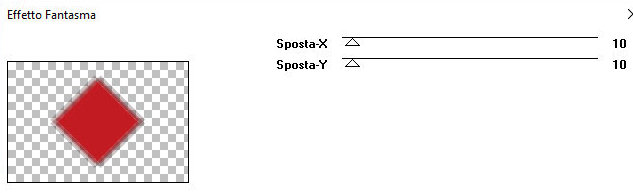
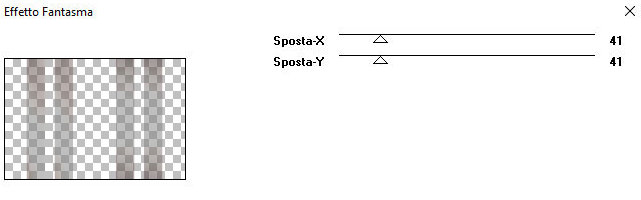
19. Effects / plugins /
It@alian Editors Effects / Effetto Fantasma (não
use Unlimited2)
20. effects / Edge effects / Enhance More
21. Clique no interior do losango com a Magic
Wand
22. Copie a imagem [Dior]
23. Cole como nova layer
23b. Posicione na seleção
23c. Ajuste o tamanho
24. Selections / invert
25. Pressione Delete
26. Selections / Invert
27. Coloque a cor branca no foreground
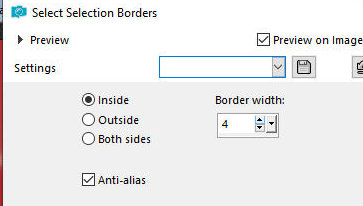
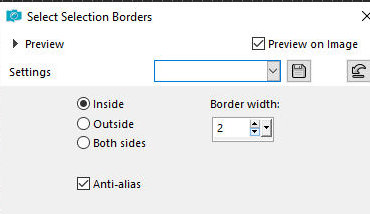
28. Selections / Modify / Select selection
borders
29. Pinte a seleção com a cor branca
30. Select none
31. Merge down
32. Drop shadow: 4 4 50 15
preto
33. Drop Shadow: -4 -4 50 15
preto
34. Layers / Duplicate
35. Merge Down
36. Ative a layer de fundo
Adicione nova layer
Selections / Load selection from alpha channel /
Selection 2
Coloque a cor #d74c45 no foreground
Pinte a seleção com a cor do foreground
Select none
Layers / Duplicate
Image / Mirror / Mirror horizontal
Merge down
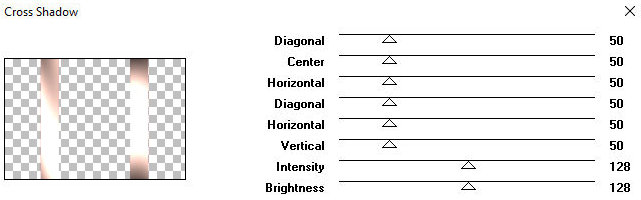
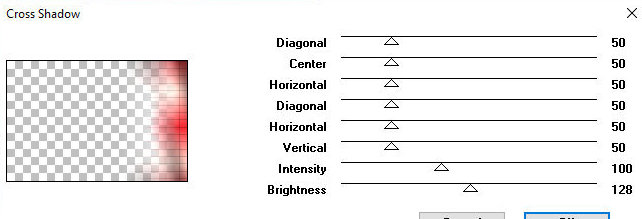
Effects / plugins / Graphic Plus / Cross shadow
Effects / Plugins /
It@lian Editors Effects / Effetto Fantasma -
Effects / Image Effects / Seamless Tiling
Effects / Edge Effects / Enhance More
Ative a layer de fundo
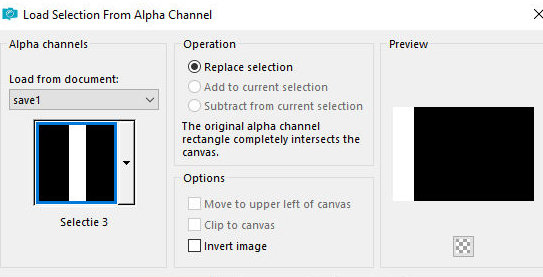
Selections / Load selection from alpha channel /
Selection 3
Selections / Promote selection to layer
Effects / Plugins / AP [Lines] / SilverLining -
igual anterior
Select none
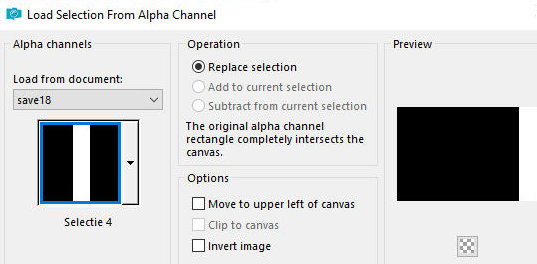
Selections / Load selection from alpha channel /
Selection 4
Adicione nova layer
Prepare este gradiente Linear
Pinte a seleção com este gradiente
Select none
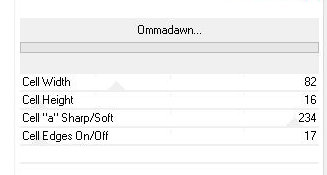
Effects / Plugins / Unlimited 2 / FF Gallery V /
ommadawn
Effects / plugins / Graphic Plus / Cross shadow
Layers / Properties / blend Mode: Hard Light
Ative a layer de fundo
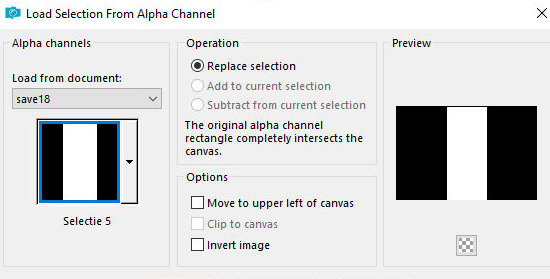
Selections / Load selection from alpha channel /
Selection 5
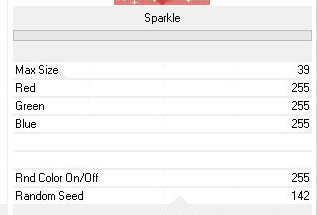
Effects / Plugins / Unlimited 2 / VM Natural /
Sparkle
Select none
Ativa a layer Raster 2 (segunda layer a partir de
cima)
Adicione nova layer
pinte a layer com a cor branca
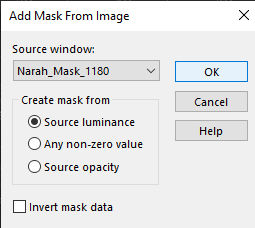
Layers / New Mask Layer / From Image / Mask [Narah_Mask-1180]
Merge group
Layers / Properties / Blend Mode: Luminance (L)
Ative a layer superior
Copie o tube principal [Leny-vrouw1216]
Cole como nova layer
Ajuste o tamanho: 585px(height)
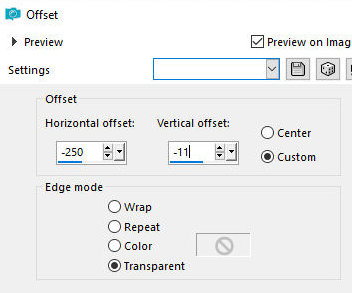
Effects / image Effects / offset
Drop Shadow: 4 4 50 15
preto
Adicione nova layer
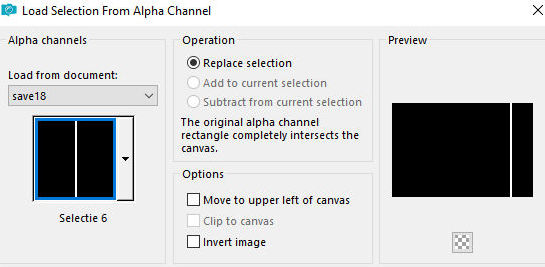
Selections / Load selection from alpha channel /
Selection 6
Pinte a seleção com a cor do background
Selections / Modify / Select selection borders
Pinte a seleção com a cor branca
Select none
Image / Resize: 104% - all layers desmarcado
Effects / image Effects / Offset
Layers / Duplicate
Image / Rotate left
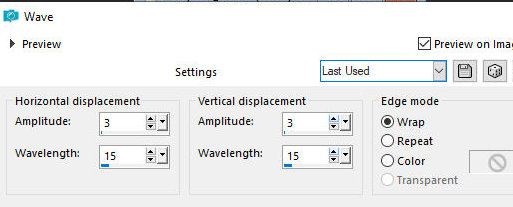
Effects / Distortion Effects / Wave
Image / Rotate right
Layers / Arrange / Move down
Layers / Duplicate
Image / Mirror / Mirror Horizontal
Effects / image Effects / offset
Ative a layer Raster 1 (a do losango)
Layers / Duplicate
Image / Resize: 30% - all layers desmarcado
Layers / Duplicate
Merge Down
Effects / Image Effects / Offset
Layers / Arrange / Bring to top
Layers / Duplicate
Image / Resize 75%
Mova para baixo à esquerda (veja o modelo)(obs.:
Caso a imagem fique sobreposta ao tube feminino,
baixe a layer(move down) até que fique por baixo)
Copie o tube [Riet Tekst_Glamfactor_858_080722]
Cole como nova layer
Image / Resize: 90% - all layers desmarcado
Image / Negative Image
Posicione o texto onde você preferir
Ative a layer de fundo
Layers / Duplicate
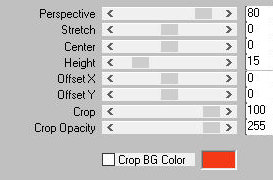
Effects / plugins / Mura's meister / Perspective
Tiling
Effects / Plugins / Graphic Plus / Cross Shadow
Merge all
Selections / Select all
Bordas: 20px/branco
Drop Shadow: 0 0 50 15
preto
Select none
Borda: 5px/cor do background
Selections / Select all
Borda: 45px / branco
Drop Shadow igual anterior
Select none
Borda:
2px / cor do background
2px / branco
2px / cor do background
Copie o tube [rand]
Cole como nova layer
Não precisa mover
Coloque as assinaturas
Merge all
Salve como jpeg