|
Este tutorial é de Esmakole a quem agradeço por me deixar traduzir seus tutoriais.
Material
Minhas imagens: AQUI
Graphic Plus - Mehdi - Mura's meister - Tile & Mirror - Tramages - Unlimited 2 - VideoRave
ROTEIRO
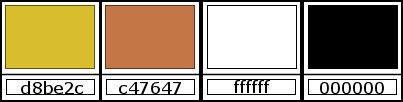
Será necessário: 1 tube feminino 1 tube floral ou outro tube decorativo * Cores originais: Foreground: #D8BE2C - Background: #C47647
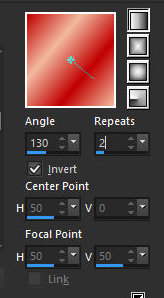
Abra o arquivo alpha [alphablad] / Duplique (shift+d) / Feche o original Prepare este gradiente Linear
Pinte a imagem com este gradiente Selections / Select all
Copie o tube [plaatze 326] Cole na seleção Select none
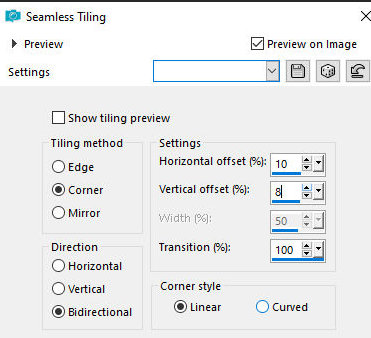
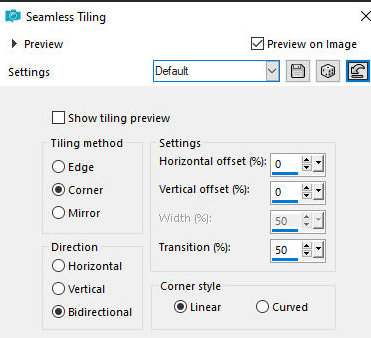
Effects / Image Effects / Seamless Tiling
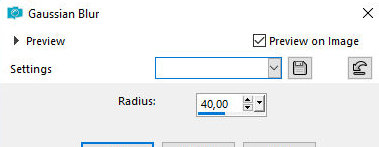
Adjust / blur / Gaussian: 40
Layers / Duplicate
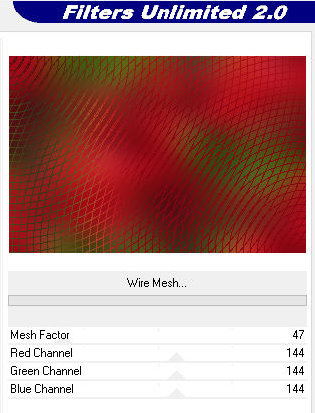
Layers / Properties / Blend Mode: Screen / Opacity: 76 Effects / Plugins / Unlimited 2 / Tramages / Wire Mesh
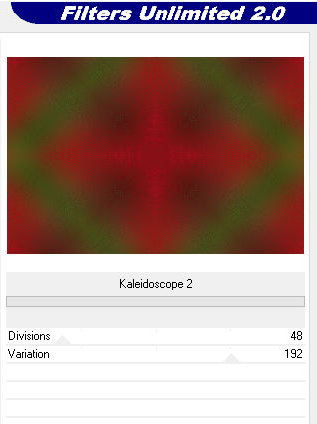
Effects / Plugins / Unlimited 2 / Tile & Mirror / Kaleidoscope 2
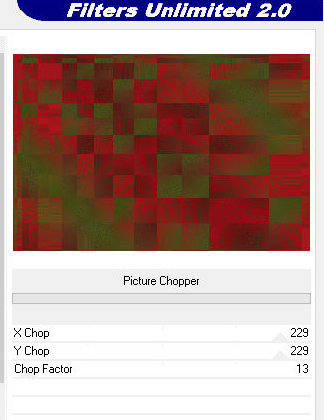
Effects / Plugins / Unlimited 2 / Video Rave / picture Chopper
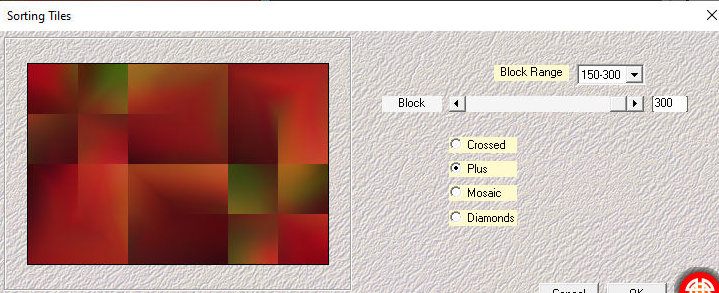
Ative a layer Raster 2 Effects / Plugins / Mehdi / Sorting Tiles
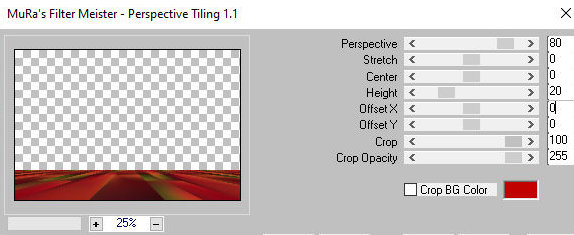
Layers / Duplicate Effects / plugins / Mura's Meister / Perspective Tiling
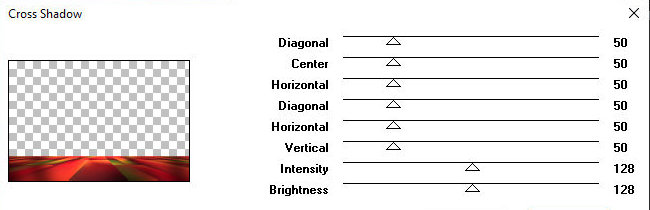
Effects / Plugins / Graphic Plus / Cross Shadow - default
Effects / Image Effects / Seamless Tiling - default
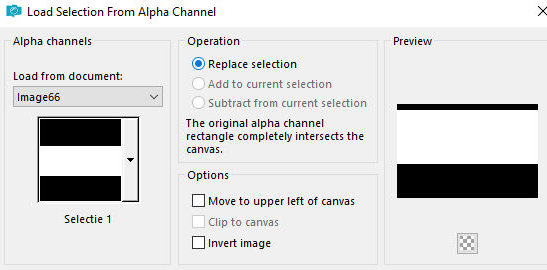
Selections / Load selection from alpha channel / Selection 1
Edit / Cut (a imagem cortada ficará na memória)
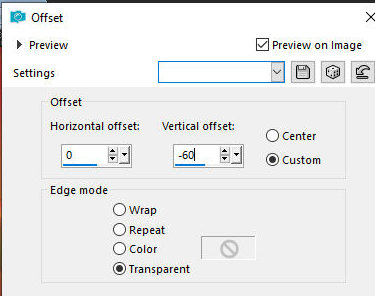
Select none Cole como nova layer ( a imagem cortada acima) Effects / Image Effects / offset 0/-60
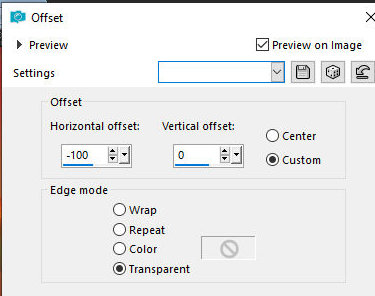
Layers / Properties / Blend Mode: Hard Light Ative a layer Copy of Raster 2 Effects / Image Effects / Offset -100/0
Ative a layer Raster 2 Adicione nova layer pinte com a cor do foreground
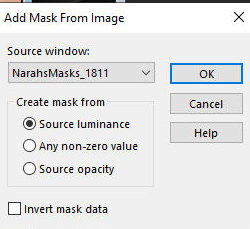
Layers / New Mask Layer / From image / Mask [NarahsMask_1811]
Merge Group Adjust / Sharpness / Sharpen More
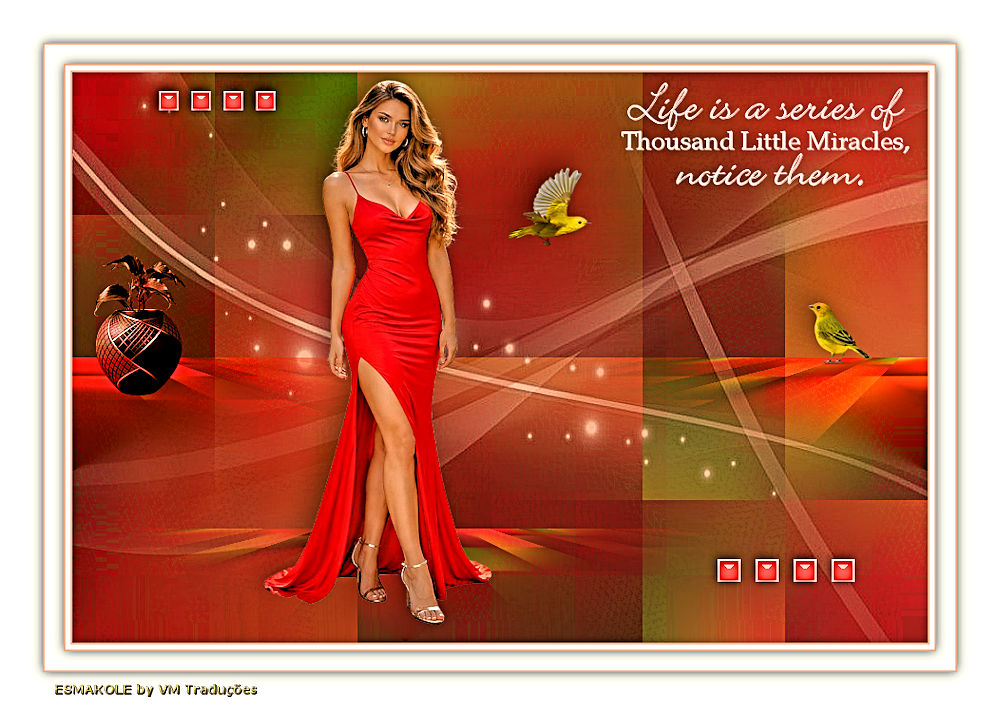
Ative a layer superior Layers / properties / Opacity: 36 Copie o tube [leny-vrouw1499a]
Cole como nova layer Posicione conforme modelo Drop Shadow: -10 -10 35 35 preto
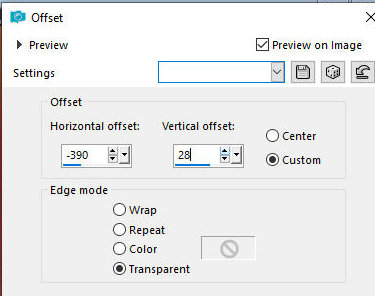
Copie o tube [Leny-granaatappel] Cole como nova layer Effects / Image Effects / offset -390/28
Layers / Properties / Blend Mode: Luminance Copie o tube [birds] Cole como nova layer
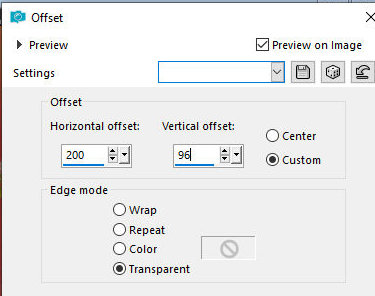
Effects / Image Effects / offset 200/96
Drop shadow - igual anterior Copie o tube [leny-wordart 117a]
Cole como nova layer Posicione conforme modelo Copie o tube [ledy-deco]
Cole como nova layer Posicione conforme modelo Drop shadow: -2 -2 45 15 preto
Copie o tube [leny-deco2] Cole como nova layer posicione conforme modelo
Drop Shadow igual Merge all Bordas: 2px / cor do foreground 5px / branco 2px / cor do foreground
Selections / Select all Borda: 20px/branco Drop shadow: 0 0 60 20 preto
Select none Borda: 2px / cor do foreground Selections / Select all
Borda: 45px /branco Drop shadow igual anterior Borda: 1px / cor do foreground
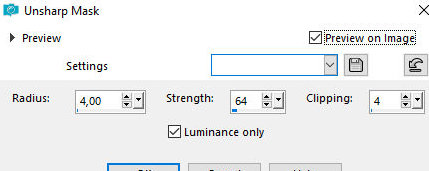
Select none Adjust / Sharpness / unsharp Mask
Coloque as assinaturas Merge all Image / Resize: 900px Salve como jpeg
|