| Você precisará de:
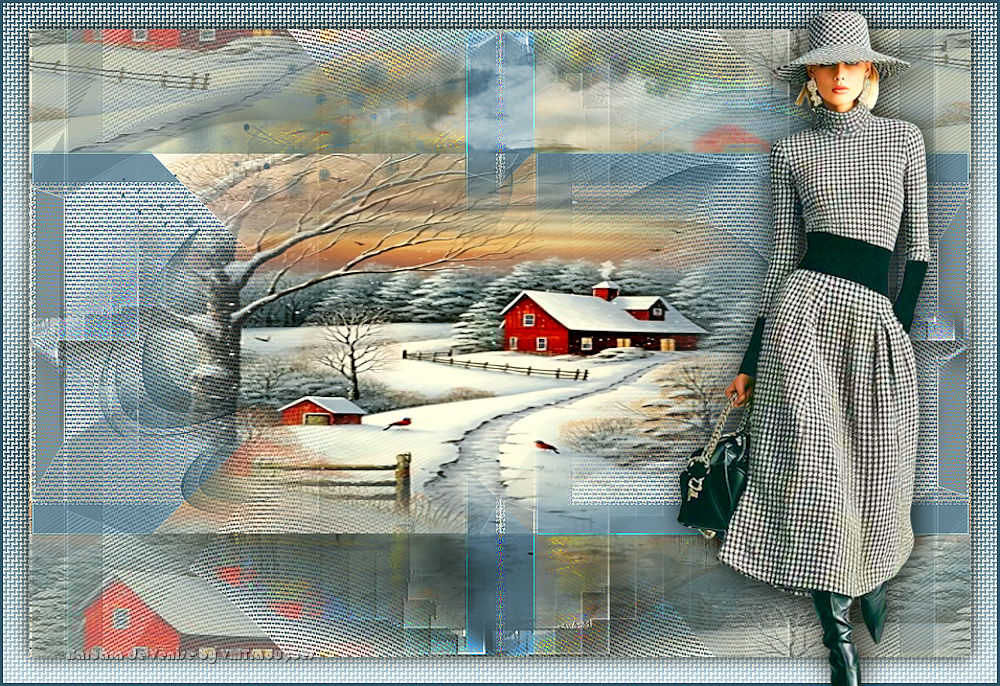
1 tube feminino
1 imagem jpg de paisagem
1 misted paisagem (formado com a
imagem jpg)
*
Etapa 1
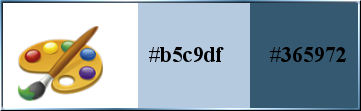
Cores originais: foreground: #b5c9df - Background:
#365972
[cores]
Etapa 2
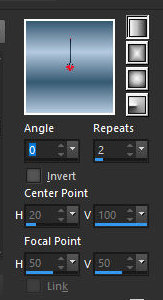
Prepare um gradiente Linear
[0 2 des]
Abra o arquivo alpha channel [hiver
magique]/Duplique (shift+d) / Feche o original
Copie a imagem jpg [fond]
Cole como nova layer
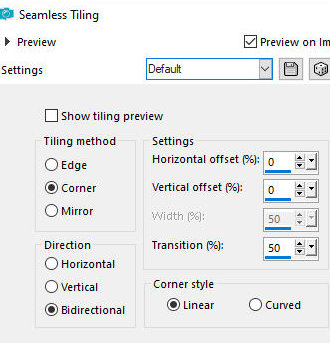
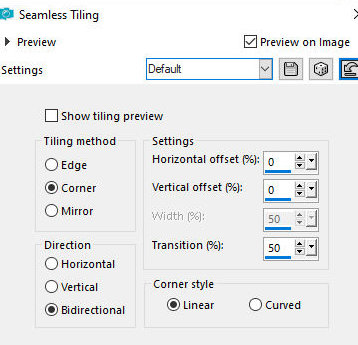
Effects / Image Effects / Seamless Tiling
[default]
Effects / Edge Effects / Enhance
Layers / Properties / Opacity:35%(ou de acordo com sua
imagem)
Merge visible
Etapa 3
Adicione nova layer
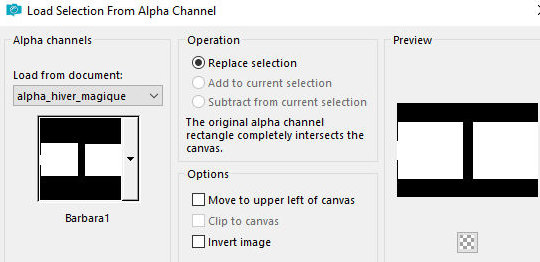
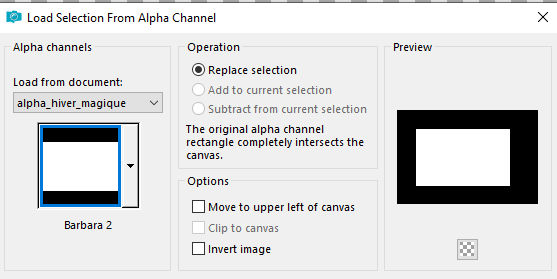
Selections / Load selection from alpha channel /
Selection [barbara1]
[sel barbara1]
Pinte a seleção com o gradiente
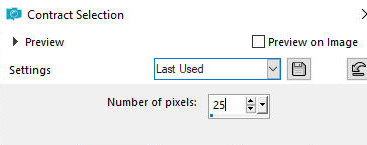
Selections / Modify / Contract: 30
[30]
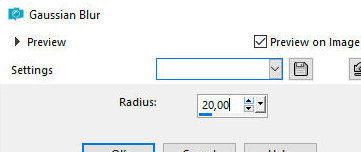
Adjust / Blur / Gaussian Blur: 20
[20]
Etapa 4
Effects / Plugins / Textures / Grain
[35 55 tamisé]
Selections / Promote selection to
layer
Select none
Etapa 5
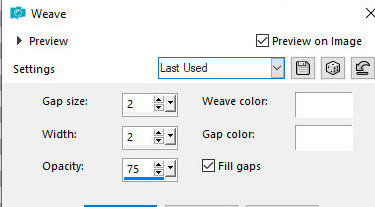
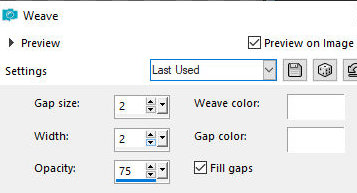
Effects / Texture Effects / Weave
[2 2 75 branco branco x]
Etapa 6
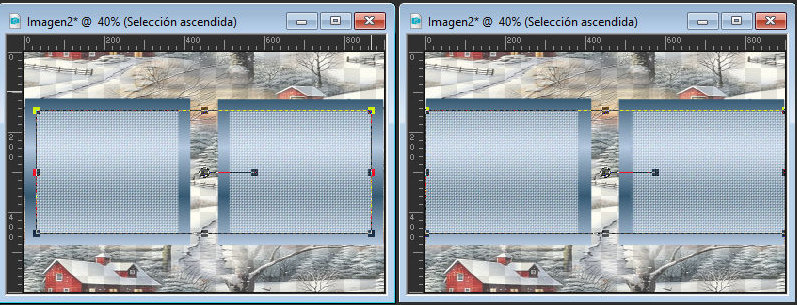
Usando a Pick Tool estique cada lado da imagem até a
borda conforme o print
[print]
Select none
Merge down
Effects / Plugins / Simple / 4 way average
[print]
Effects / Plugins / Simple / Pizza
Slice Mirror
Effects / Edge Effects / Enhance
Etapa 7
Layers / Duplicate
Effects / plugins / Simple / 4 way average
[print]
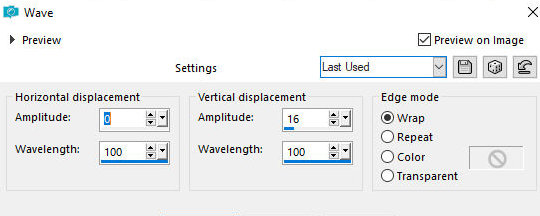
Effects / Distortion Effects / Wave
[0 100 16 100 wrap]
Image / Mirror / Mirror Vertical
Effects / Image Effects / Seamless Tiling - igual ao
anterior
[print]
Layers / Properties / Blend mode:
Luminance (L)
Etapa 8
Ative a layer acima
Adicione nova layer
Pinte com a cor do background
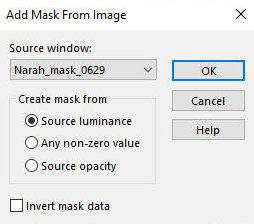
Layers / New Mask layer / From image / Mask [Narah-mask-0629]
Effects / Edge Effects / Enhance
Layers / Duplicate
Merge group
Drop Shadow: 0 0 25 0 preto
Etapa 9
Copie o tube [Deco]
Cole como nova layer
Layers / Properties / Blend mode: Luminance
Selections / Load selection from alpha channel /
Selection [barbara 2]
[sel barbara2]
Adicione nova layer
Copie o tube misted paisagem
Cole na seleção
Select none
Layers / Duplicate
Merge down
Etapa 10
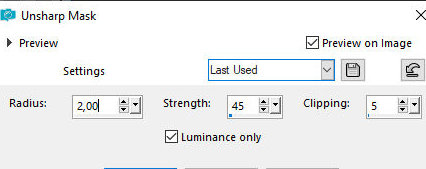
Adjust / Sharpness / Unsharp Mask
[2 45 5 x]
Merge all
Layers / Promote background to layer
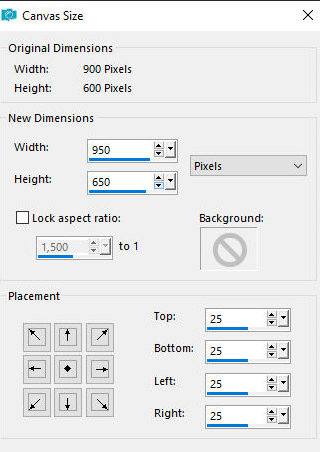
Image / Canvas Size
[950x650 25 25 25 25(900x600)]
Etapa 11
Adicione nova layer
Layers / Arrange / Move Down
Selections / Select all
Selections / Modify / Contract:25
[25]
Selections / Invert
Pinte com o gradiente
Effects / Texture Effects / Weave - igual anterior
[weave igual]
12Selections / Invert
Drop Shadow: 0 0 80 25 preto
Select none
Merge all
Borda: 3px / cor do background
Etapa 12
Copie o tube feminino [Femme-Cloclo]
Cole como nova layer
Ajuste o tamanho
Posicione à direita conforme modelo
Drop Shadow: 0 0 65 30 preto
Coloque as assinaturas
Merge all
Image / Resize: 1000px (width)
Salve como jpeg
|