|
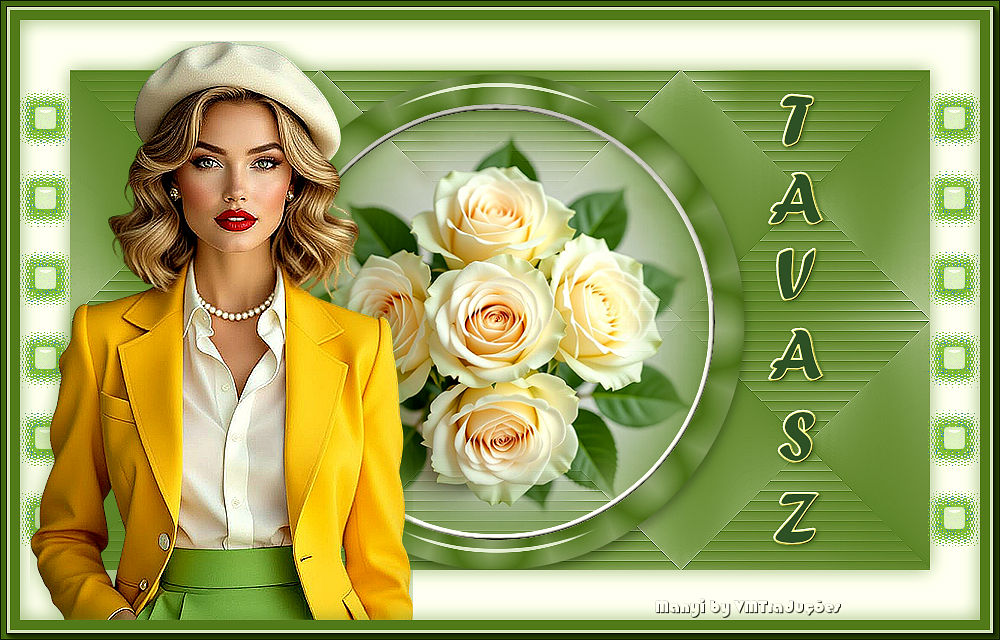

This tutorial is from Manyi who I thank for
letting me translate their tutorials.

Original here
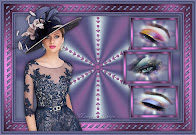
Tubes

Material

Plugins
Mehdi - Flaming Pear - Flexifly 2 -
AAa Frames
You can find these plugins on the websites of:
Renée
Cloclo
You can also find this tutorial translated into these languages:
(Click on the flag)


|
Notes:
> Open the material / Duplicate (shift+d) / Close the originals
> Change the blend mode of the layers to match their colors.
> In older versions of PSP, Mirror Horizontal=Mirror / Mirror Vertical=Flip /
Pick tool=deformation
> Open the masks in psp and
minimize
>Adjust the size of the tubes according to your images
|
SCRIPT
Images:
1 female tube
1 floral tube
*
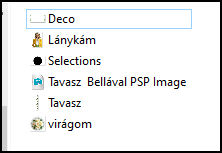
Material
*
My images
*
1.
Open the alpha file [Tavasz
Bellaval PSP image] (this image comes with a selection, remove it (select
none))
Duplicate (shift + D) / Close the original
Colors: Foreground: #597c2e - Background: #fbfaf7
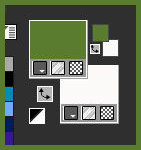
Prepare a Sunburst gradient
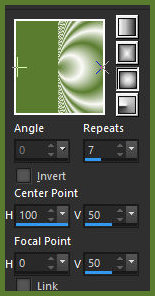
Paint the image with the gradient
2.
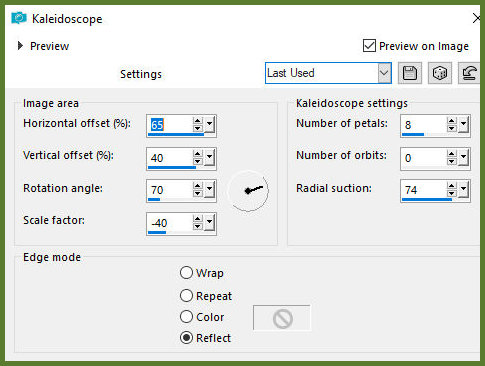
Effects / Reflection Effects /
Kaleidoscope
3.
Selections / Load selection from
alpha channel / Selection 1
4.
Selections / Promote selection to
layer
5.
Selections / Modify / Contract: 30
6.
Press Delete
Close the bottom layer (click on the eye)
7.
Add a new layer
Copy [virágom]
Paste it into the selection
8.
Add a new layer
Selection / Modify / Select selection borders
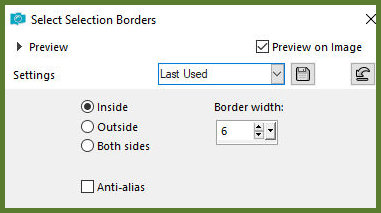
9.
Paint the selection with the color
of background
10
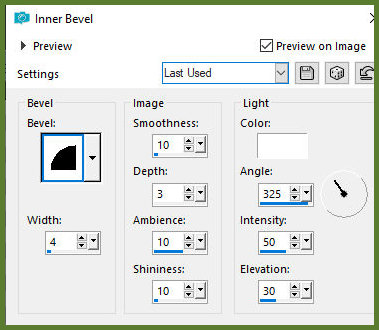
Effects / 3D Effects / Inner Bevel
11
Select none
12
Layers / Arrange / Move down
13
Activate the circle layer (promoted select)
Layers / Arrange / Bring to top
Effects/Plugins/Eye candy 5/Impact/Glass
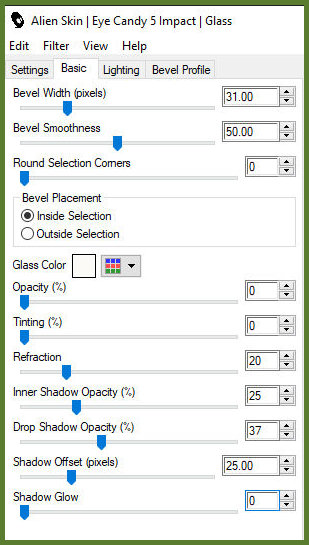
14
Activate and open the lower layer
Adjust / blur / Gaussian Blur: 25
15
Effects / Texture Effects / blinds - foreground color
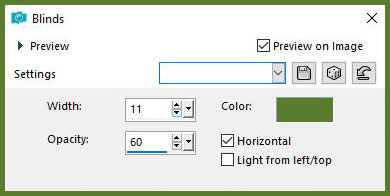
16
Effects / Plugins / Mehdi / sorting Tiles
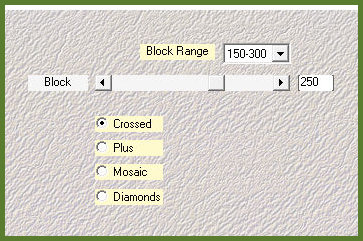
17
Effects / Reflection Effects / rotating Mirror
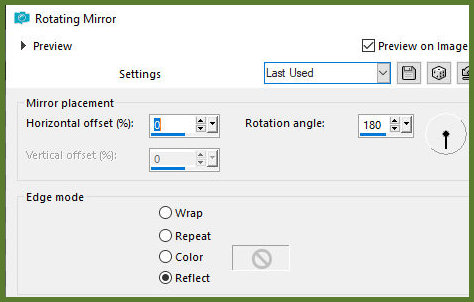
18
Effects / Edge Effects / Enhance
19
Selections / Select all
Image / Add borders / 50px / background color
20
Drop shadow: 0 0 60 30.00 foreground color
21
Select none
22
Copy the tube [Deco]
Paste as new layer
Don't move
23
Copy the main tube [Lanykam]
Paste as new layer
Activate the Pick Tool and configure: X=10 Y=4
Objects/Align/Bottom
24
Adjust/Sharpness/sharpen
25
Drop Shadow: 0 0 60 30.00 foreground color
26
Selections / Select all
Image/ Add borders / 20px / foreground color
27
Selections/Invert
Drop shadow: 0 0 60 30.00 foreground color
28
Effects / Plugins / AAA Frames / Photo Frame
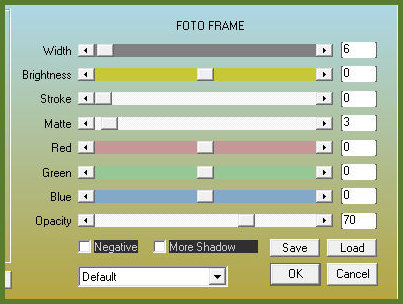
29
Select none
30
Copy the text [tavasz]
Paste as new layer
Activate the Pick Tool and configure: X=765 Y=90 Press M
31
Drop shadow: 1 1 85 5 Foreground color
32.
Merge all
33.
Image / Resize: 950x608px
34.
Add credits
Merge all
Save as jpeg
*
Minha versão
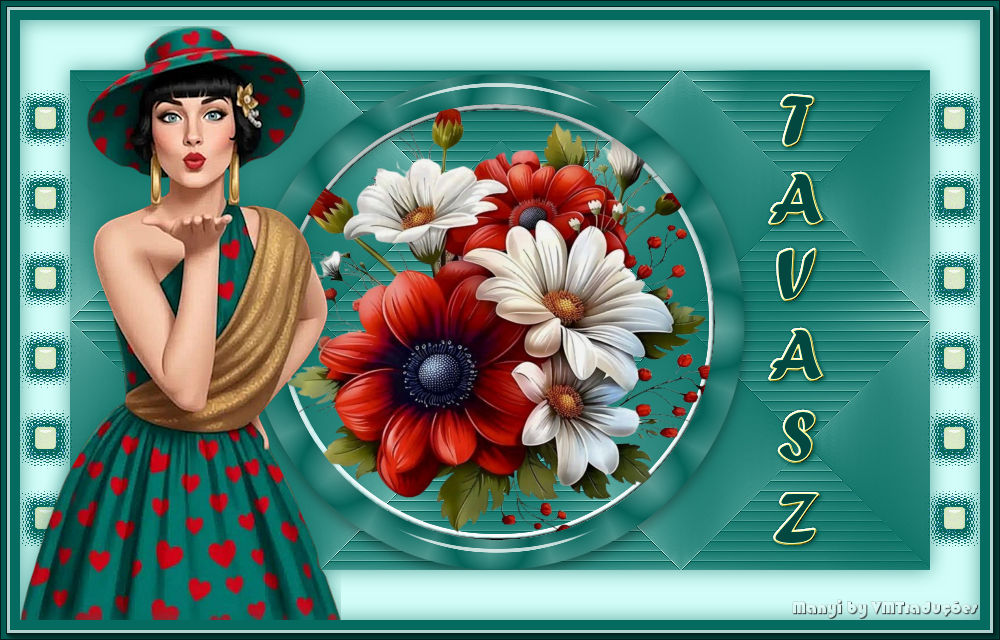

|