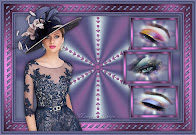
|
Este tutorial é de Manyi a quem agradeço por me deixar traduzir seus tutoriais.
Material
Minhas imagens: AQUI
Mehdi - Mura's Seamless - Mura's Meister - AAA Frames
ROTEIRO
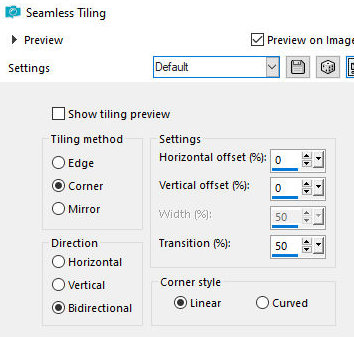
Você irá precisar de: 1 tube feminino 1 tube misted paisagem * Abra o arquivo Alpha [Karácsonyra] / Duplique (shift+d) / Feche o original Cores usadas: foreground: #ede7da - Backgorund: #ffffff Pinte a imagem com a cor do foreground Selections / Select all Copie a paisagem [Téli tájam] Cole na seleção Select none Effects / Image Effects / Seamless Tiling - default
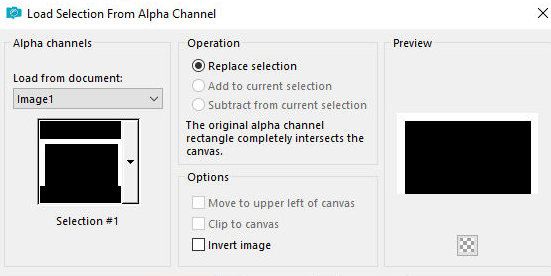
Adicione uma nova layer Selections / Load selection from alpha channel / Selection 1
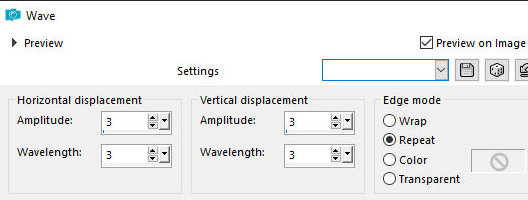
Pinte a seleção com a cor branca Select none Effects / Distortion Effects / Wave
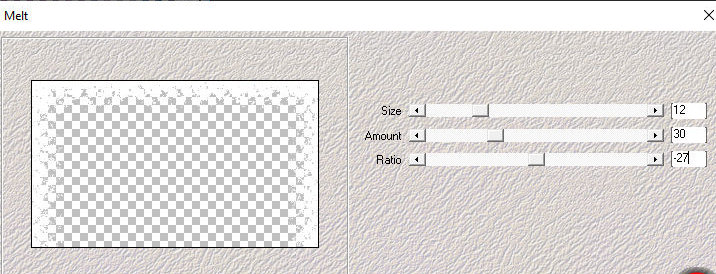
Effects / Plugins / Mehdi / Melt
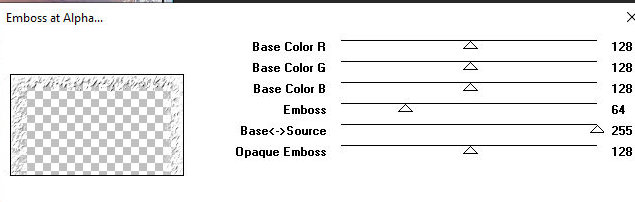
Effects / Plugins / Mura's Seamless / Emboss at Alpha - default
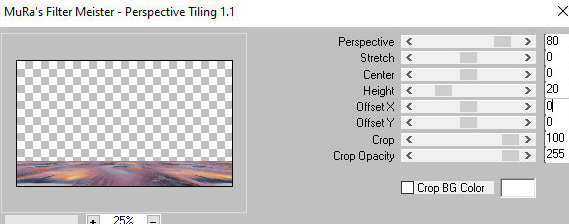
Ative a layer de fundo Layers / Duplicate Effects / Plugins / Mura's Meister / Perspective Tiling
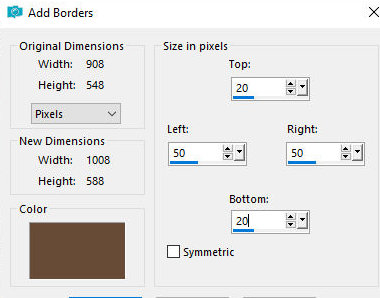
Drop Shadow: -3 -3 60 30 cor #684c38 Selections / Select all Bordas: 2px / #684c38 20px/ #ede7da 2px/ #684c38 Drop Shadow: 0 0 60 30 #684c38 Selections / Select all Borda com SYMMETRIC DESMARCADO - 20 50 50 20 -#d2c9ba
Effects / Image Effects / Seamless Tiling - default
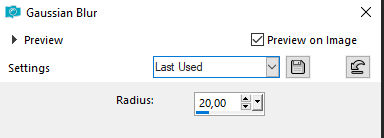
Selections / Invert Adjsut / Blur / Gaussian Blur: 20
Effects / Plugins / AAA Frames / Foto Frame
Select none Borda: SYMMETRIC MARCADO - 20px - #ede7da Effects / Plugins / AAA Frames / Foto frame
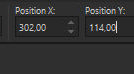
Copie o tube principal [9-Cafés nők-NightCafé-Al_Manyi 57 Design] Cole como nova layer Ative a Pick Tool e configure: X=302 - Y=114 - Pressione M
Adjust / Sharpness / Sharpen Drop Shadow de sua escolha Merge Visible Image / Resize: 950x569px (opcional) Coloque as assinaturas Merge all Salve como jpeg
|