|
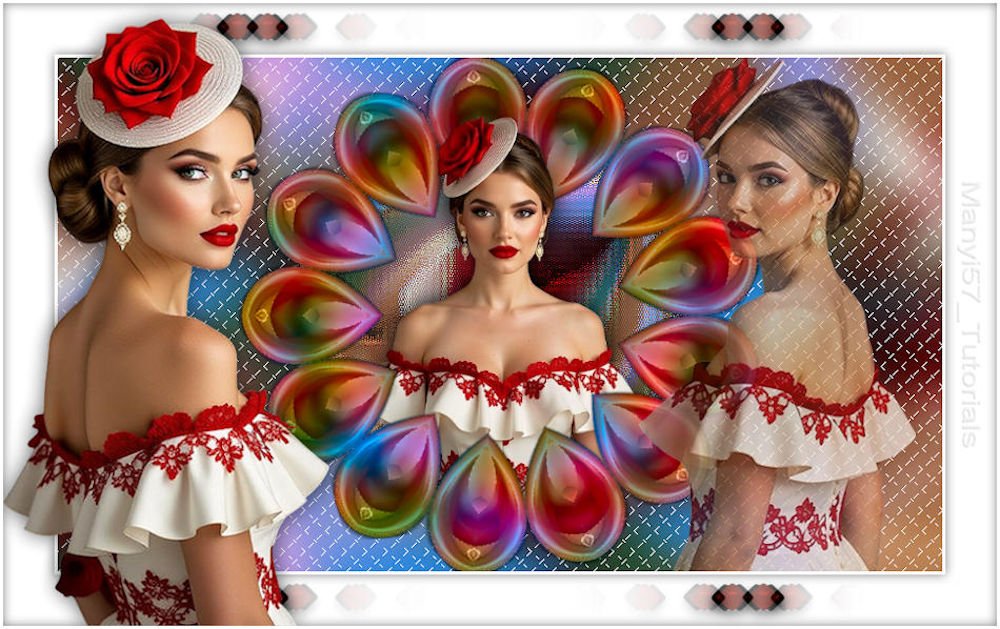
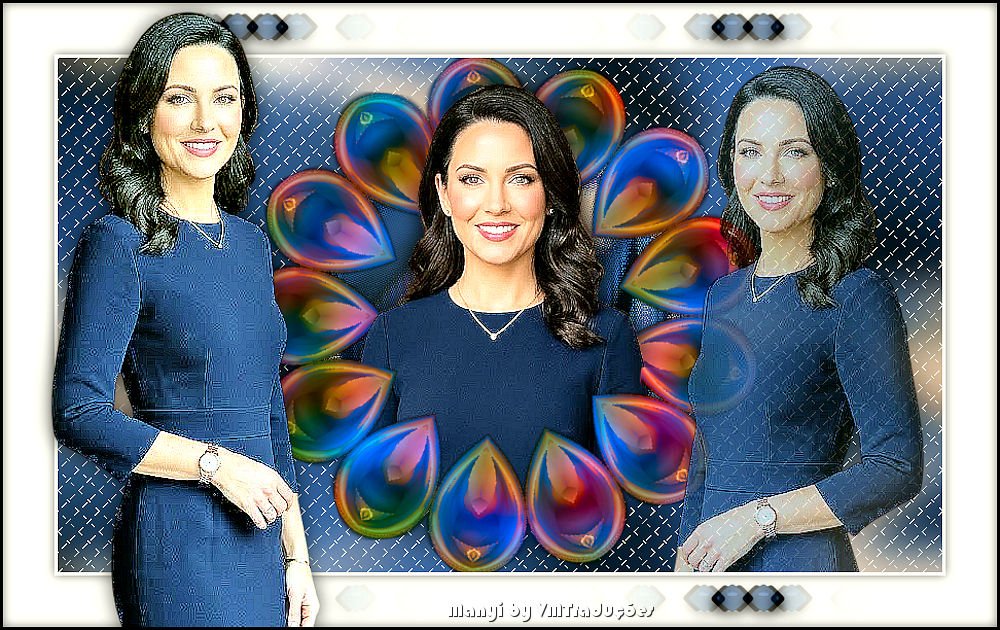
(imagem original de Manyi)
(minha versão)
Este tutorial é de Manyi a quem agradeço por me deixar traduzir seus tutoriais.
Material
Gmic - Mehdi - Flaming Pear - AP [Lines]
ROTEIRO Material: 3 tubes femininos 2 tubes decos *** 1. Abra uma nova imagem com 860x500px Pinte com a cor #2489de
2. Selections - Select all Copie o tube [Liliana2] e cole na seleção
3. Select none 4. Effects - Image Effects - Seamless Tiling - default
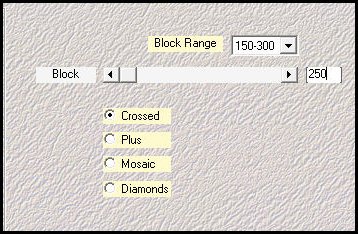
5. Effects - Plugins - mehdi - Sorting Tiles [150-300 250crossed]
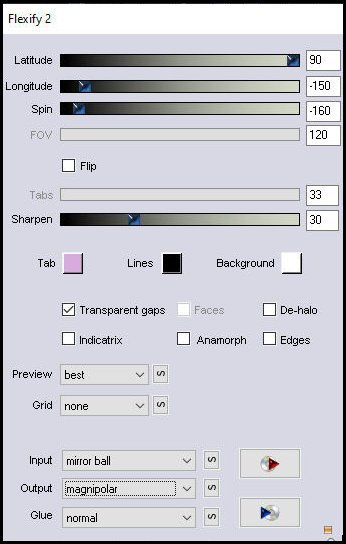
6. Layers - Duplicate Effects - plugins - Flaming Pear - Flexify2 [90 -150 -160 120 33 30 mirror ball magnipolar]
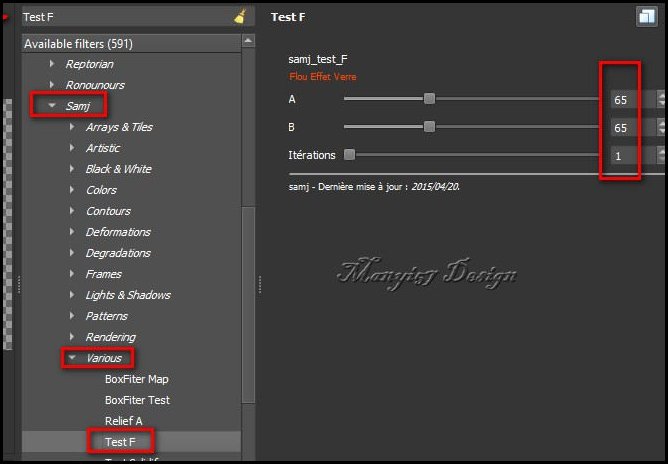
7. Effects - Plugins - Gmic - Gmic QT - Testing - Samj - Various - TestF
8. Copie o tube [Deco 1] Não precisa mover
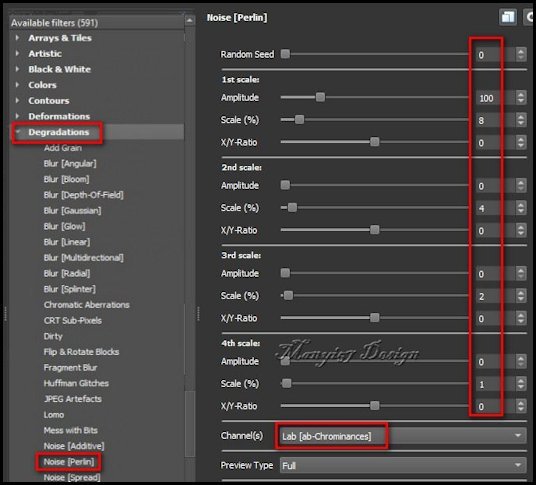
9. Effects - Plugins - Gmic - Gmic QT - Degradations - noise (Perlin)
10. Ative a layer do meio Image - Resize: 80%
11. Effects - Edge Effects - Enhance
12. Copie o tube [Liliana1] Cole como nova layer
13. Drop Shadow: 0 0 60 30 preto
14. Layers - Duplicate Layers - Arrange - Bring to top (cópia)
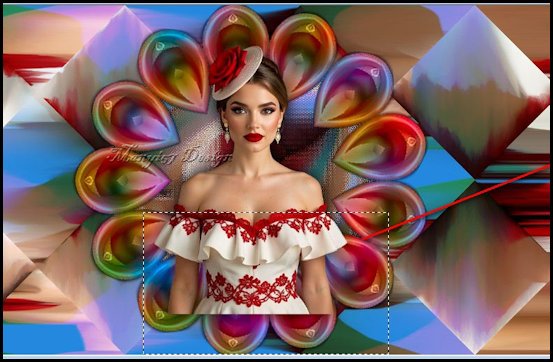
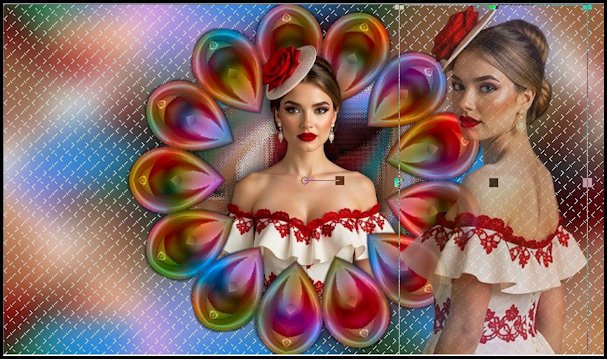
15. Ative a layer superior Selecione a imagem conforme o print
Pressione Delete
16. Select none
17. Ative a layer inferior - Raster 1 Adjust - Blur - Gaussian Blur: 20
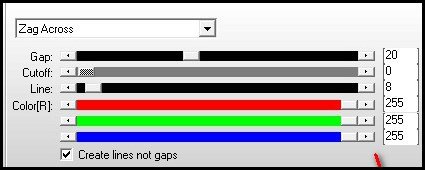
18. Effects - Plugins - AP [Lines] - Silverlining [zag across 20 0 8 255 255 255]
19. Ative a layer superior Copie o tube [Liliana3] Cole como nova layer Ajuste o tamanho Posicione à direita conforme modelo Opacity: 75%
20. Image - Add borders - 3px - branco Selections - Select all Image - Add borders - 50px - branco
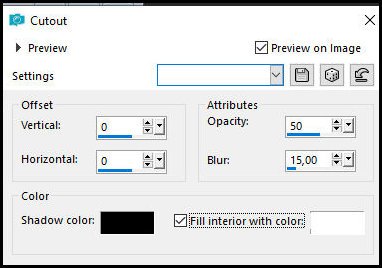
21. Selections - invert Effects - 3D Effects - Cutout [0 0 50 15 preto x branco]
22. Select none
23. Copie tube [Deco2] Cole como nova layer Pick Tool (K) X=122 Y=0 Pressione M
24. Copie [Liliana2] Cole como nova layer Ajuste o tamanho Pick Tool (K) X=0 Y=15 Pressione M
25. Drop Shadow: 0 0 60 30 preto
26. Image - Add borders - 3px - branco
27. Image - Resize: 950x598px Coloque os créditos Merge all Salve como jpeg
|