|

This tutorial is from amiely who I thank for
letting me translate their tutorials.

Original here
Tubes

Material

My images: Here
Plugins
Mehdi - Tile & Mirror - AP [Lines]
- Simple - Unlimited 2 - BKG Kaleidoscope - Eye Candy 5: Impact
Tramages - L&K's Palmyre - Italian
editors Effects
You can find these plugins on the websites of:
Renée
Cloclo
You can also find this tutorial translated into these languages:
(Click on the flag)


|
Notes:
> Open the material / Duplicate (shift+d) / Close the originals
> Change the blend mode of the layers to match their colors.
> In older versions of PSP, Mirror Horizontal=Mirror / Mirror Vertical=Flip /
Pick tool=deformation
> Open the masks in psp and
minimize
>Adjust the size of the tubes according to your images
|
SCRIPT
Required image:
1 female tube
*
Save the selections in the
Selections folder
*
Original colors:
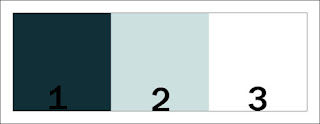
Place color 1 in the foreground and color 2 in the background
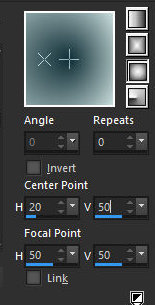
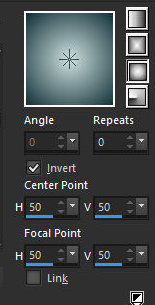
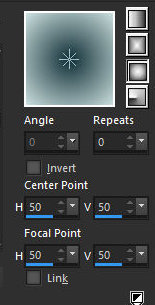
Prepare a Sunburst gradient
[0 20/50 50/50]
Open a new transparent image with 950x600px
Paint with the gradient
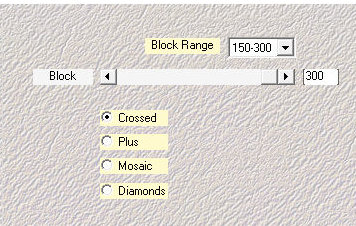
Effects / Plugins / Mehdi / Sorting Tiles
150/300 300 crossed
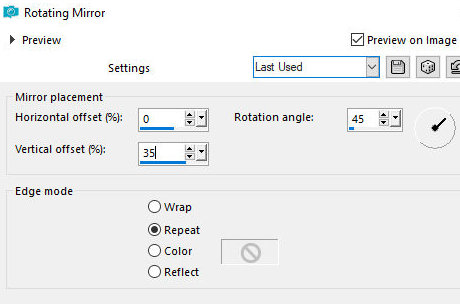
Effects / Reflection Effects / Rotating Mirror
0 45 35 repeat
Effects / Plugins / Unlimited 2 / Tile & Mirror / Mirrored & Scaled
Effects / Edge Effects / Enhance
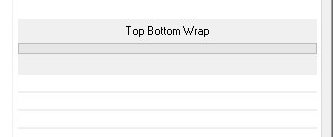
Effects / Plugins / Simple / Top Bottom Wrap
Add a new layer
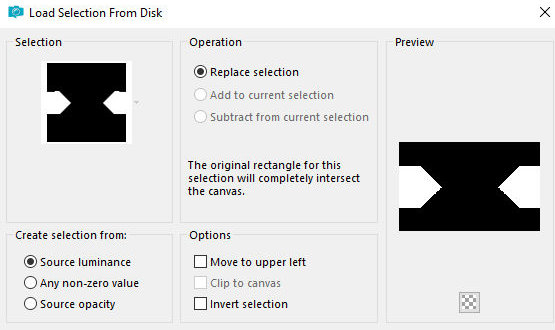
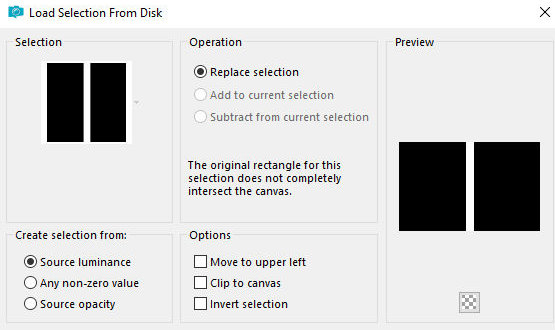
Selections / Load selection from disk / Selection [29.10.2025.01-ML]
Paint the selection with the gradient in this settings:
0 x 50/50 50/50
Select none
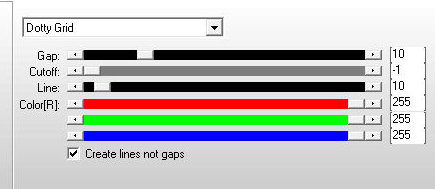
Effects / Plugins / AP [Line] / SilverLining
dotty grid 10 -1 10 255 255 255
Layers/Duplicate
Effects / Plugins / Simple / Top Bottom Wrap
Merge down
DRop Shadow: 0 0 75 10 black
Add new layer
Selections / Load selection from disk / Selection [29.10.2025.02-ML]
Paint the selection with the gradient
0 of 50/50 50/50
Effects / Texture Effects / Tiles
hexagon 0 8 1 9 3 -14 25 br 315 50 24
Select none
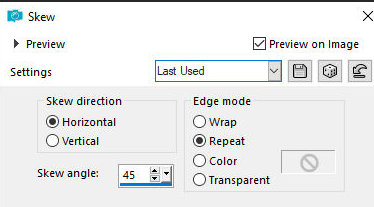
Effects / Geometric Effects / Skew
hour 45 repeat
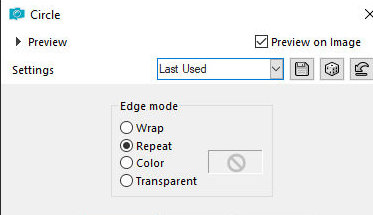
Effects / Geometric Effects / Circle - repeat
Layers/Duplicate
Image / Mirror / Mirror Horizontal
Merge down
Effects / Plugins / Unlimited 2 / BKG Kaleidoscope / Kaleidoscope 8
Kaleidoscope 8 136 172
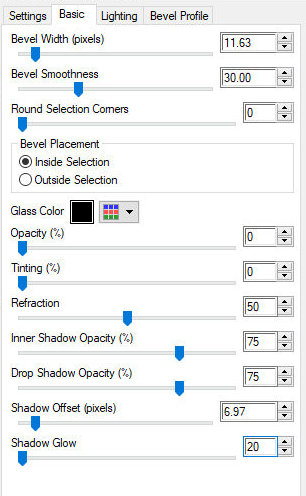
Effects / Plugins / Eye Candy 5: impact / Glass
11.63 30.00 0 inside pr 0 0 50 75 75 6.97 20
Image/Resize: 55%
Copy the tube [Deco-1-ML]
Paste as new layer
Merge down
Activate the background layer
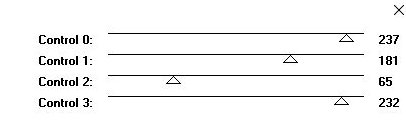
Effects / Plugins / Tramages / Tow The Line
237 181 65 232
Activate the top layer
Copy the tube [deco-fleurs-ML]
Paste as new layer
Layers / Arrange / Move Down
Activate the top layer
Copy the tube [Deco-2-ML]
Paste as a new layer
Objects / Align / Bottom
Layers / Arrange / Move down - 2 times
Opacity: 60%
Activate the top layer
Activate the Pick Tool and configure: X=617 - Y=16 - Press M
Layers / Duplicate
Activate the Pick Tool and configure: X=0 - Y=277 - Press M
Merge Down
Copy the tube [Femme-125-ML]
Paste as a new layer
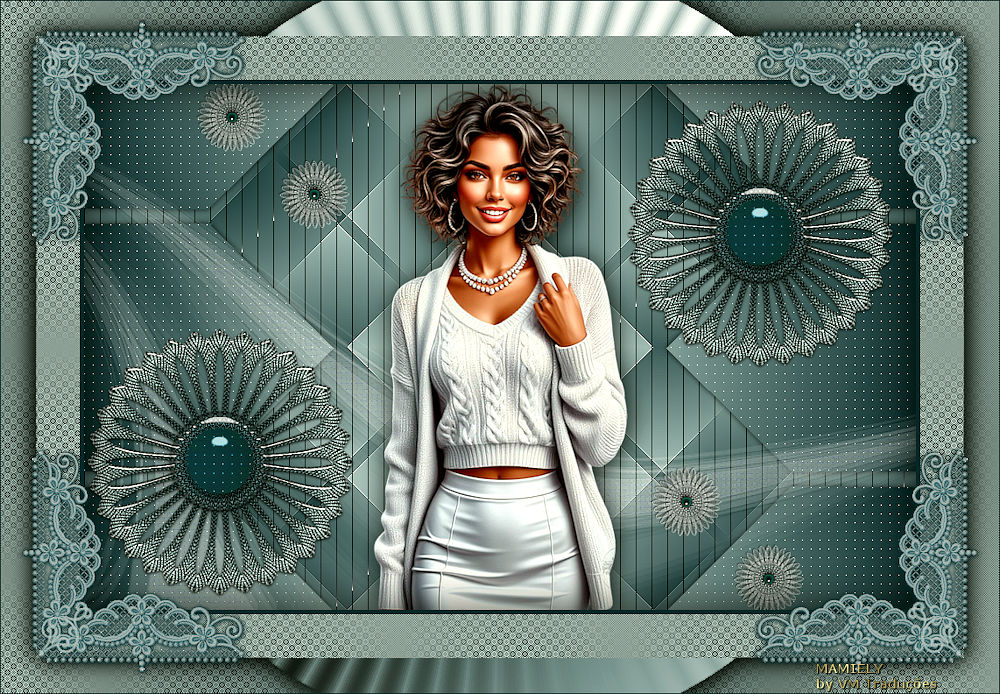
Position according to the model
Drop Shadow of your choice
Merge all
Selections / Select all
Border: 5px / color 1
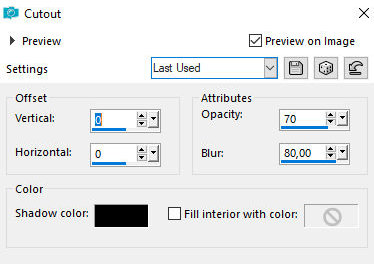
Effects / 3D Effects / Cutout
0 0 70 80 pr
Selections / Select all
Border: 50px / white
Selections / Invert
Paint with color 2
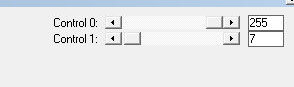
Effects / Plugins / L & K's / L&K's Palmyre
Selections / Select all
Border: 40px / white
Selections / Invert
Paint with gradient - same as before
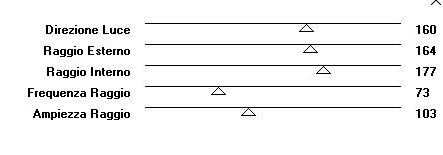
Effects / Plugins / Italian Editors Effects / Raggi de Luce
160 164 177 73 103
Select none
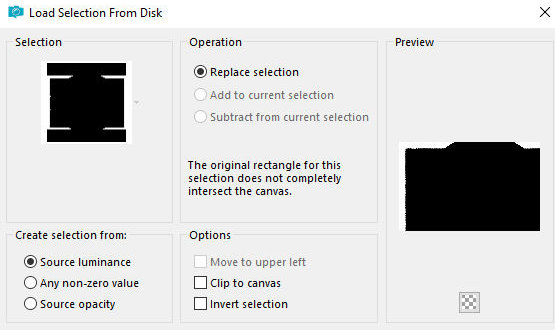
Selections / Load selection from disk / Selection [29.10.2025.03-ML]
Add new layer
Paint with gradient
Effects / Plugins / L&K's / L&K's Palmyre - same as before
Repeat L&K's Palmyre
Selections / Invert
Drop Shadow: 4 4 85 40 black
Drop shadow: -4 -4 85 40 black
Select none
Copy the tube [cadre-ML]
Paste as a new layer
Border: 1px / color 1
Image / Resize: 1000px (width)
Add signatures
Merge all
Save as jpeg

|