|
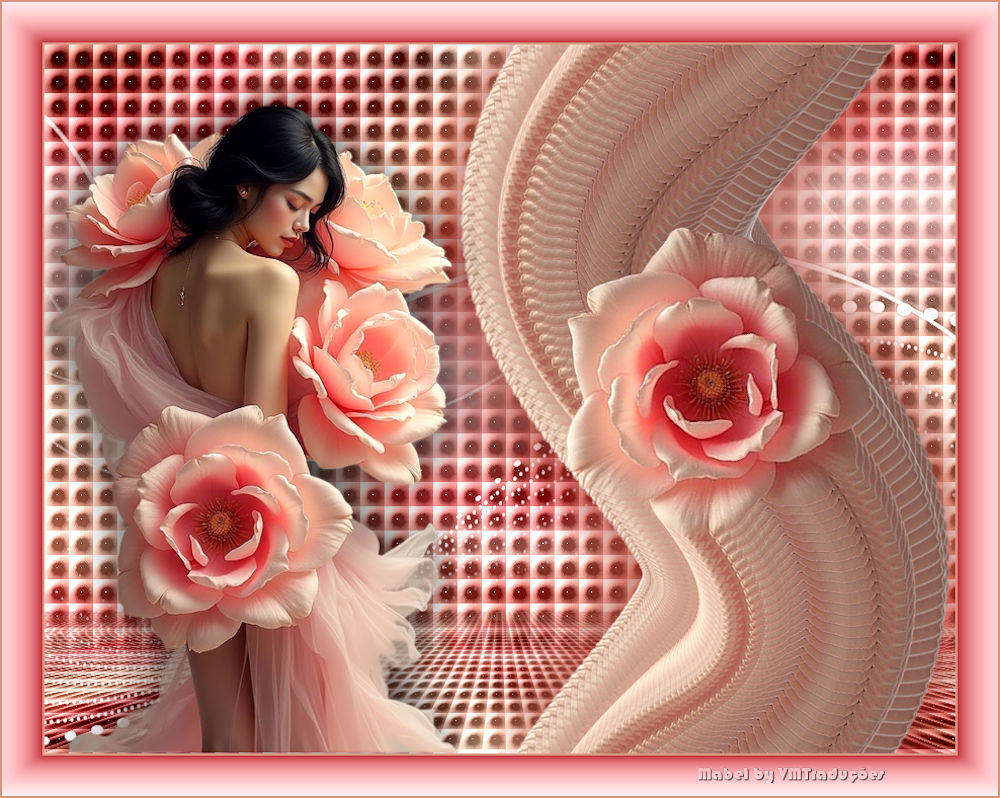
Este tutorial é de Mabel a quem agradeço por me deixar traduzir seus tutoriais.
Tubes: LB Tubes
Material
Eye Candy 5: Impact - plugin Galaxy - Mura's Meister
ROTEIRO
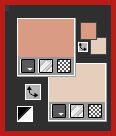
Imagens necessárias: 1 tube feminino 1 tube floral * 1. Abra uma nova imagem transparente com 900x700rosa] 2. Cores: Foreground: #d99b83 - Background: #e5cfbc
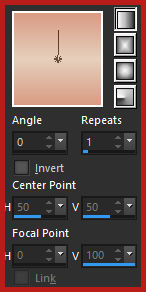
3. Prepare um Gradiente Linear:
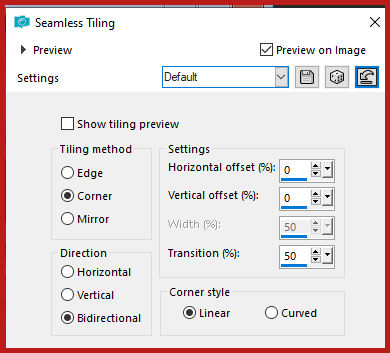
4. Pinte a imagem com o gradiente 5. Selections / Select all 7. Copie o tube da rosa [rosa] 8. Cole na seleção 9. Select none 10. Effects / Image Effects / Seamless Tiling - default
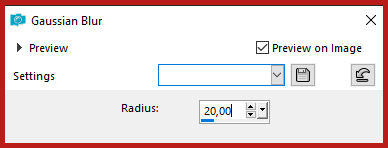
11. Adjust / blur / Gaussian blur: 20
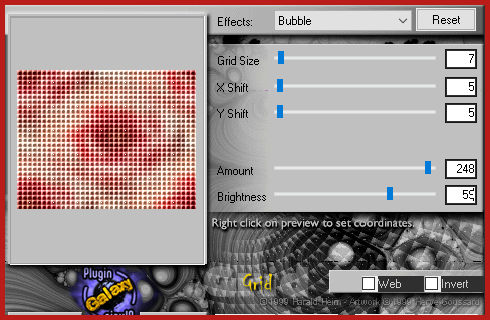
12. Effects / Plugins / Plugin Galaxy / Grid
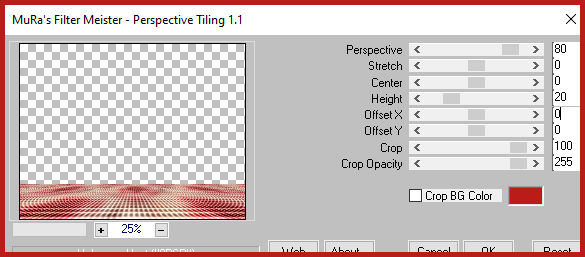
13. Layers / Duplicate 14. Effects / Plugins / Mura's Meister / Perspective Tiling
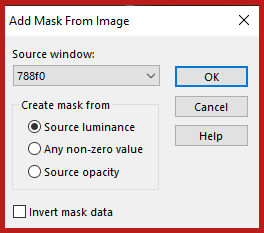
15. Adicione nova layer 16. Pinte com a cor branca 17. Layers / New Mask Layer / From image / Mask [788f0]
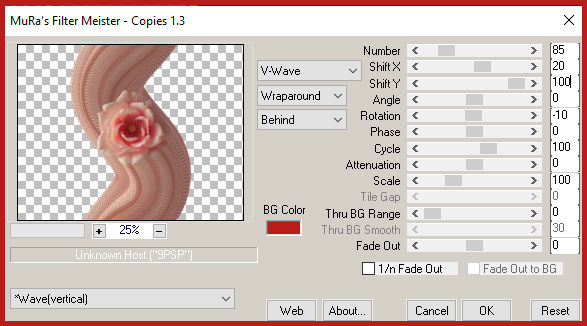
18. Merge group 19. Layers / Duplicate 20. Merge down 21. Adjust / Sharpness / Sharpen 22. Drop shadow: 0 0 40 10 #943c31 23.Ative a layer Copy of Raster 1 24. Selecione a parte transparente como a Magic Wand (tolerance=0 / feather=80) 25. Clique duas vezes em Delete 26. Select none Copie o tube [rosa] Cole como nova layer Não mova Layers / Arrange / Bring to top Effects / Plugins / Mura's Meister / Copies
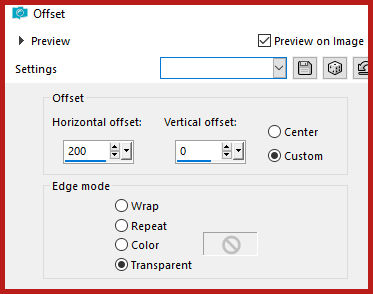
Effects / Plugins / Offset - 200/0
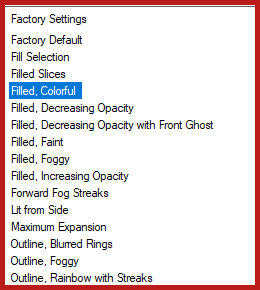
Adjust / Sharpness / Sharpen Drop shadow: 0 0 80 80,00 #943c31 Repita o Drop Shadow Copie o tube feminino [5005 - woman - LB TUBES] Cole como nova layer Image / Mirror / Mirror Horizontal Ajuste o tamanho Posicione à esquerda conforme o modelo Drop shadow: 0 0 80 80,00 preto Image / Add borders / 2px / #c78e79 Image / Add borders / 40px / #aa2028 Selecione esta borda de 40px com a Magic Wand Effects / Plugins / Eye Candy 5: Impact / Backlight [Filled, Colorful]
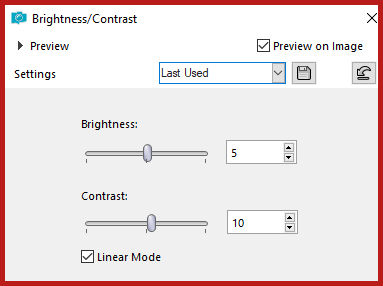
Select none Image / Add borders / 2px / #c78e79 Adjust / Brightness and Contrast / Brightness / Contrast
Coloque as assinaturas Merge all Salve como jpeg
|