|
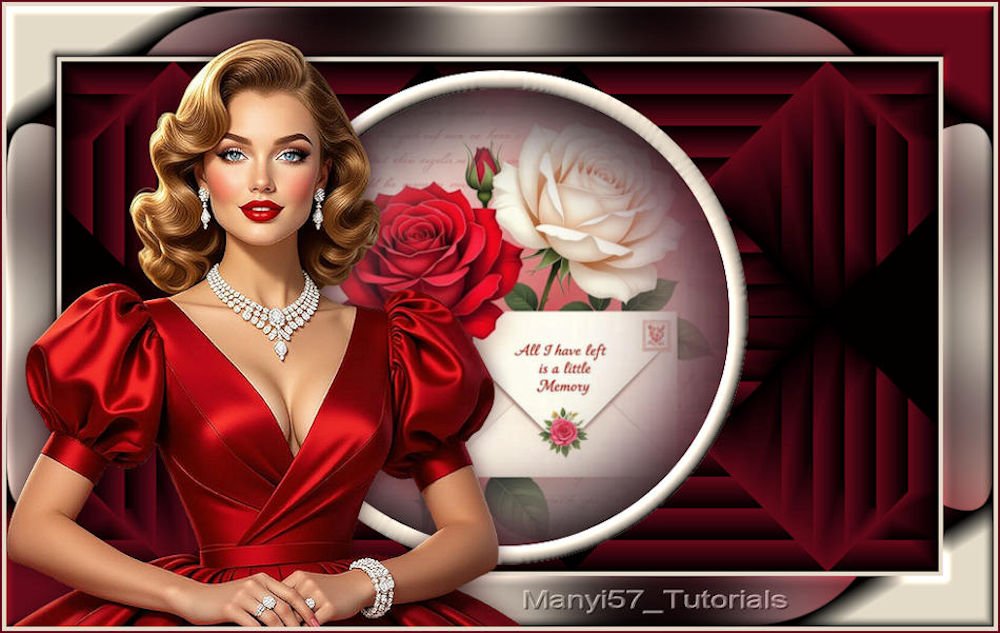
(imagem original de Manyi)

This tutorial is from Manyi who I thank for
letting me translate their tutorials.

Original here
Tubes

Material

Plugins
Unlimited 2 - Mehdi -
You can find these plugins on the websites of:
Renée
Cloclo
You can also find this tutorial translated into these languages:
(Click on the flag)


|
Observações:
> Abra o material / Duplique (shift+d) / Feche os originais
> Mude o blend mode das layers de forma a combinar com suas cores.
> Nas versões antigas do PSP o Mirror Horizontal=Mirror / Mirror Vertical=Flip /
Pick tool=deformation
> Abra as masks no psp e
minimize
>Ajuste o tamanho dos tubes de
acordo com suas imagens
|
SCRIPT
1. Open the " alpha channel" file [Csak egy kis emélk maradt
nekem] - Duplicate (Shift+D)
2. Close the original
3. Set the foreground color to #64091a and the background color to #e5d9c9
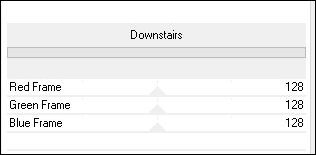
4. Effects - Plugins - Unlimited 2 - BKG Designer sf10 II - Downstairs
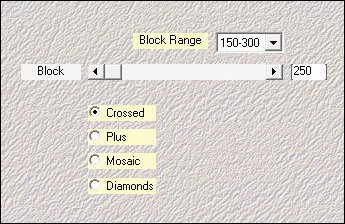
5. Effects - Plugins - Mehdi - Sorting Tiles
6. Image - Mirror - Mirror Horizontal
7. Effects - Reflection Effects - Rotating Mirror
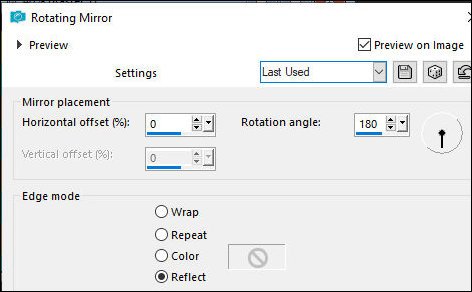
8. Selections - Load selection from alpha channel - Selection 1
9. Selections - Promote selection to layer
10. Adjust - Blur - Gaussian Blur: 25
11. Add a new layer
12. Copy the floral image
13. Paste into the selection
14. Selections - Modify - Select selection borders
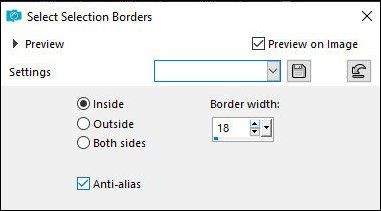
15. Add a new layer
16. Fill the selection with color #e5d9c9
17. Effects - 3D Effects - Inner Bevel
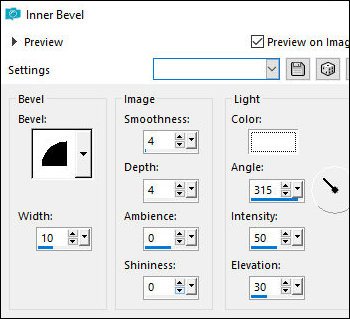
18. Select None
19. Border - 4px - #e5d9c9
20. Selections - Select All
21. Border - 50px - #e5d9c9
22. Effects - Image Effects - Seamless Tiling - default
23. Selections - Invert
24. Adjust - Blur - Gaussian Blur: 35
25. Keep the selection
26. Effects - Image Effects - Page Curl
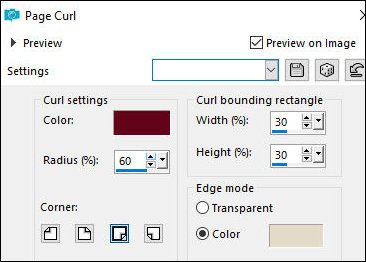
27. Effects - Image Effects - Page Curl
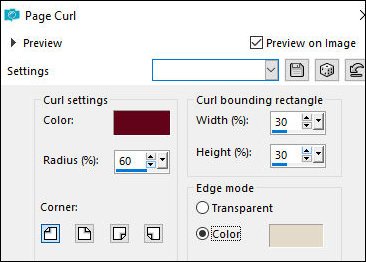
28. Effects - Image Effects - Page Curl
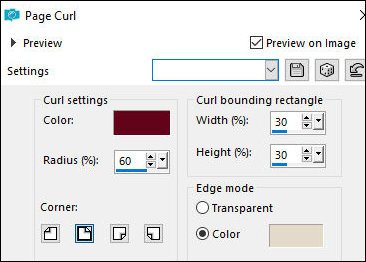
29. Effects - Image Effects - Page Curl
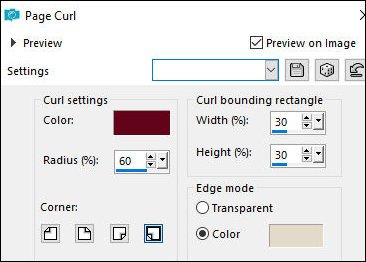
30. Effects - 3D Effects - Inner Bevel
31. Select None
32. Copy the main tube
33. Paste as a new layer
34. Adjust the size
35. Pick Tool (K) X=0 Y=32 Press M
36. Adjust - Sharpness - Sharpen
37. Drop shadow: 0 0 65 30 #32040c
38. Border - 4px - #e5d9c9
39. Border - 2px - #64091a
40. Image - Resize: 950x601
41. Add credits
42. Merge all
43. Save as JPEG

Paulo Afonso, 10/10/26
|