|
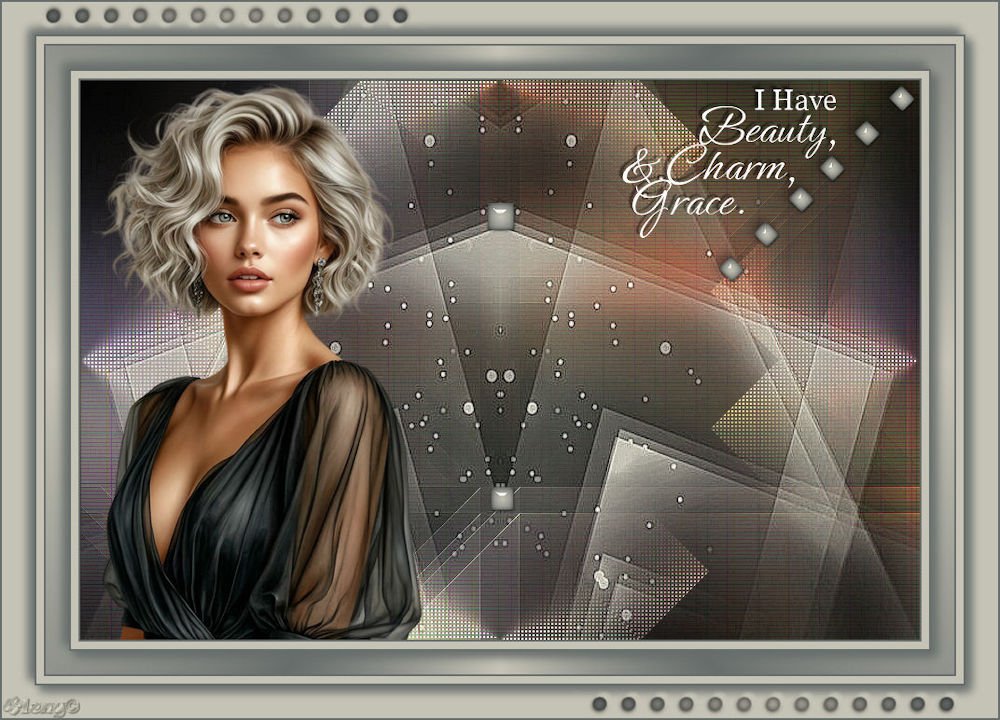
(imagem original de Esmakole)
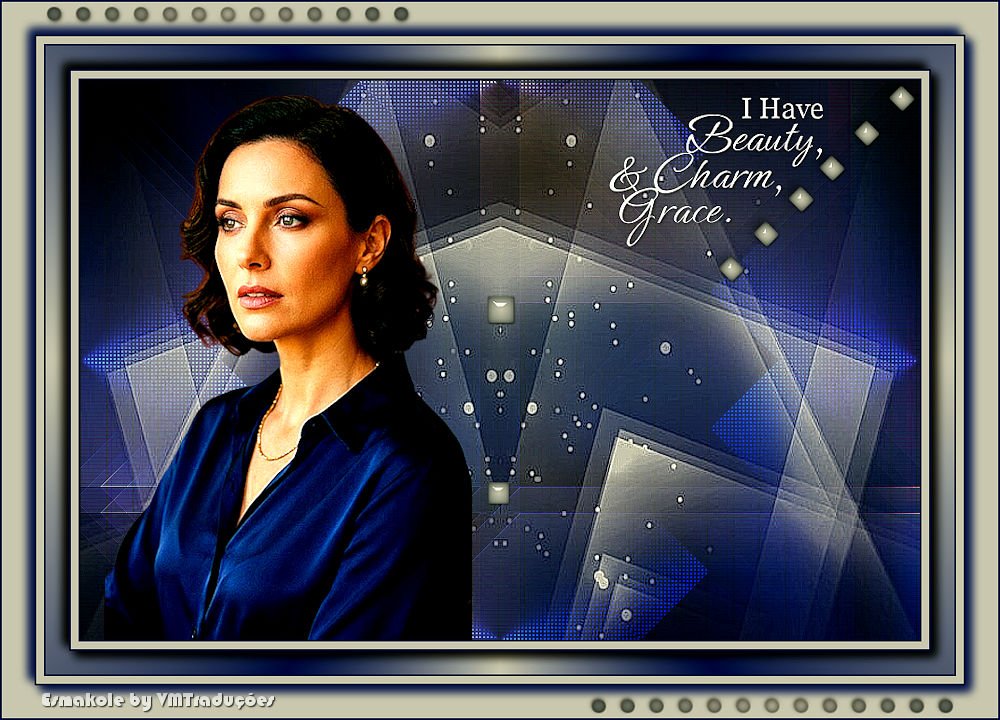
(minha versão)

This tutorial is from Esmakole who I thank for
letting me translate their tutorials.
Original here
Tubes

Material

Plugins
AFS Import - Jeux de Couleurs -
Mehdi - Unlimited 2
You can find these plugins on the websites of:
Renée
Cloclo
You can also find this tutorial translated into these languages:
(Click on the flag)


|
Notes:
> Open the material / Duplicate (shift+d) / Close the originals
> Change the blend mode of the layers to match their colors.
> In older versions of PSP, Mirror Horizontal=Mirror / Mirror Vertical=Flip /
Pick tool=deformation
> Open the masks in psp and
minimize
>Adjust the size of the tubes according to your images
|
SCRIPT
Image
1 female tube
***
The Joieux de Colors Plugins is in the material
***
1. Colors: Foreground: #c5c3b5 -
Background: #676d6b
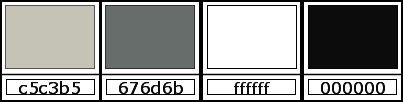
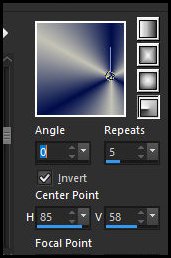
2. Prepare a Radial gradient
3. Open the alpha channel
Duplicate (shift+d) - Close the original
4. Paint the image with the gradient
5. Layers - Duplicate
6. Image - Mirror - MIrror Horizontal
7. Image - MIrror - Mirror Vertical
7-1 Blend mode: multiply
8. Merge visible
9. Effects - Image Effects - Seamless Tiling - default
10. Effects - Image Effects - Seamless Tiling - default
11. Layers - Duplicate
12. Selections - Select all
13. Copy tube [femme-514-Laurette]
14. Paste into selection
15. Select none
16. Effects - Plugins - Unlimited 2 - <Bkg Designers sf10 IV> - @Blueberry
Pie
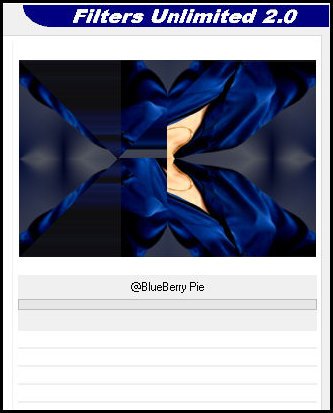
17. Adjust - Blur - Radial Blur
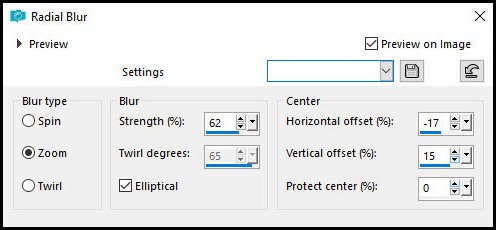
18. Effects - Plugins - Mehdi - Sorting Tiles
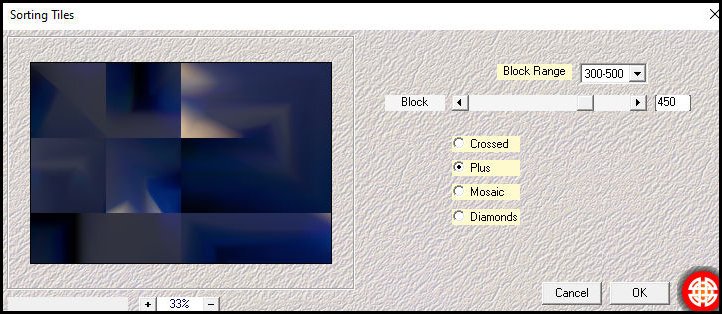
19. Effects - Plugins - Mehdi - Sorting Tiles
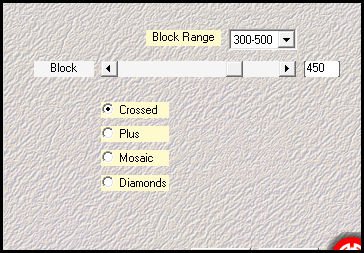
20. Effects - Edge Effects - Enhance
21. Effects - plugins - Unlimited 2 - <bkg designer sf10 I> -
Cruncher
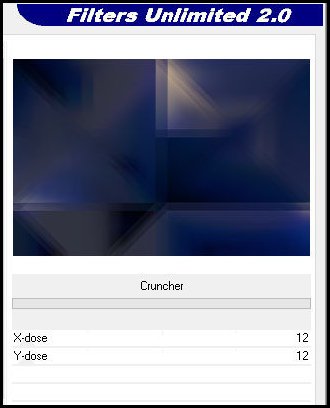
22. Effects - Plugins - Graphic Plus - Cross Shadow
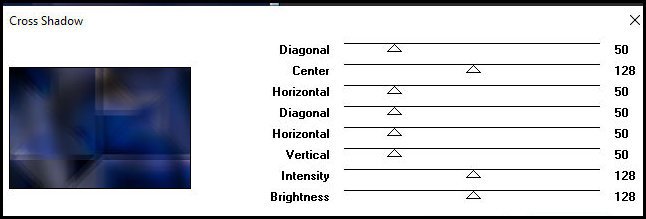
23.Adjust - Sharpness - Sharpen
24. Layers - Duplicate
25. Effcts - Plugins - Jeux de Couleurs - Grille with zoom (ab)
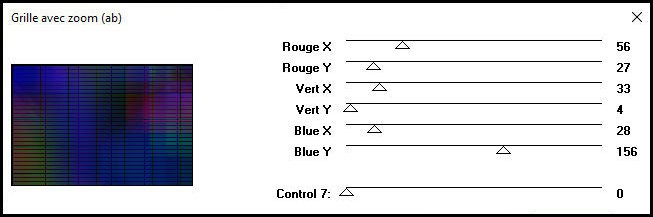
26. Blend mode: Overlay - Opacity: 60%
27. Activate the middle layer
28. Selections - Load selection from alpha channel - selection 1
29. Selections - Promote selection to layer
30. Select none
31. Layers - Arrange - Bring to top
32. Effects - Plugins - Unlimited 2 - AFS Import - sqborder 2 (top
slide=255)
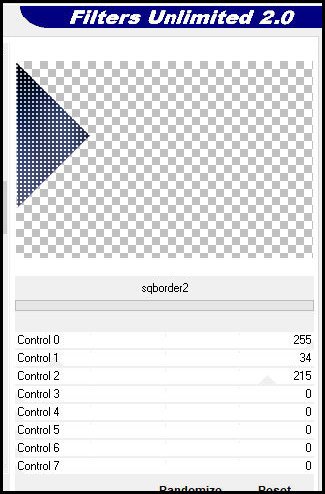
33. Layers - Duplicate
34. Image - Mirror - Mirror Horizontal
35. Image - Mirror - Mirror Vertical
36. Merge down
37.Effects - Image Effects - Seamless Tiling - same as before
38. Layers - Duplicate
39. Image - Mirror - Mirror Horizontal
40. Merge Down
41. Blend mode: Dodge - Opacity: 84%
42. Add new layer
43. Flood fill with the foreground color
44. Layers - New Mask layer - From Image - Mask [Narah-Mask-1126]
45. Merge group
46. Effects - Reflection Effects - Rotating Mirror
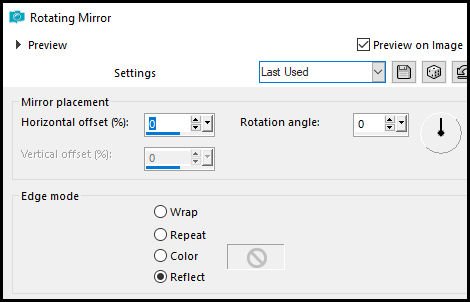
47. Effects - Edge Effects - Enhance More
48. Merge all
49. Copy [Leny-deco]
50. Paste as new layer
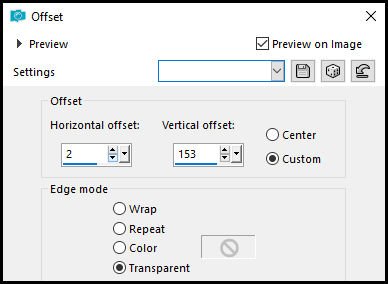
51. Effects - Image Effects - Offset
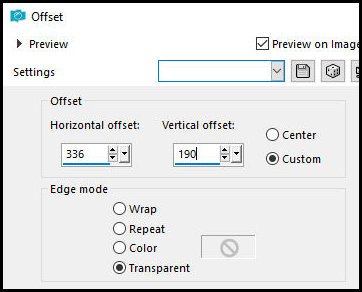
52. Copy the tube [Leny-Deco2]
53. Paste as new layer
54. Effects - Image Effects - Offset
55. Layers - Duplicate
56. Image - Resize: 80% - "all layers" unchecked
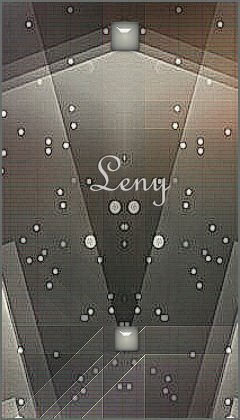
57. Position according to the example
58. Copy the tube [femme_514 laurette]
59. Paste as new layer
60. Image - Resize: 85% - "all layers" unchecked
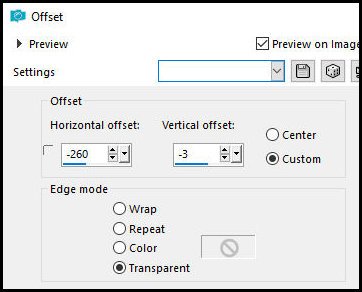
61. Effects - Image Effects - Offset
62. Copy the tube [Leny Text]
63. Paste as new layer
64. Position according to the example or as you prefer
65. Merge all
66. Image - Add borders - 2px - background color
67. Image - Add borders - 8px - foreground color
68. Image - Add borders - 2px - background color
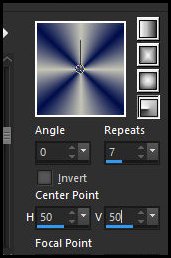
69. Prepare this gradient
Selections - Select all
Image - Add borders - 25px - foreground color
Selections - Invert
Flood fill the selection with the gradient
Selections - Invert
Drop Shadow: 6 6 75 15 background color
Repeat the Drop Shadow
Repeat the Drop Shadow with negative V and H (-6)
Repeat this Drop shadow
Select none
Image - Add borders - 2px - color of the... Background
Image - Add borders - 8px - foreground color
Image - Add borders - 2px - background color
Selections - Select all
Image - Add borders - 35px - foreground color
Drop shadow: 6 6 75 15 background color
Repeat Drop Shadow
Repeat Drop Shadow with negative V and H (-6)
Repeat this Drop Shadow
Select none
Copy tube [Len-deco3]
Paste as new layer
Position at the top left as shown in the example
Layers - Duplicate
Image - Mirror - Mirror Horizontal
Image - Mirror - Mirror Vertical
Merge all
Image - Add borders - 2px - background color
Add credits
Merge all
Save as JPEG

|